How to Save a Screenshot as PDF on iPhone
There are two different things you might want: turn screenshots you already took into a PDF, or capture a whole web page as one. Here’s how to do both, and when PDFee helps.
 PDFee teamUpdated September 27, 2026 · 4 min readTestediPhone 14 Pro · iOS 26.6.2 · PDFee 1.6
On this page
Quick answer
Save the screenshot to Files, touch and hold it, then tap Quick Actions › Create PDF. For a whole web page, take a screenshot in Safari, tap the preview, choose Full Page, then tap Done and save it to Files.
- 1Photos → PDF
- 2Pick the screenshots
- 3Create PDF
Which method should you use?
Convert an existing screenshot with built-in tools
A screenshot is an image in Photos, so it works like any photo. The short version is below; the photo to PDF guide has every option.
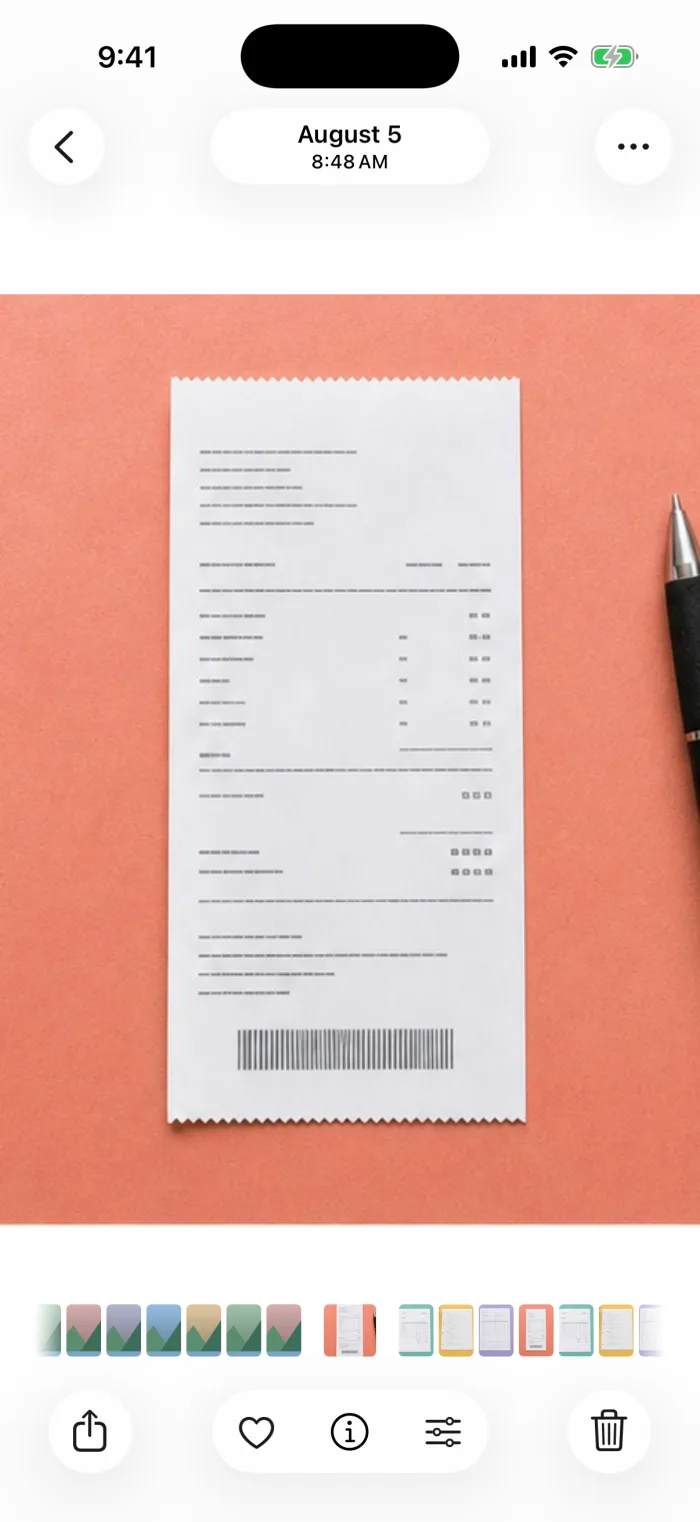 Step 1In Photos, open the screenshot (album Screenshots) and tap Share.
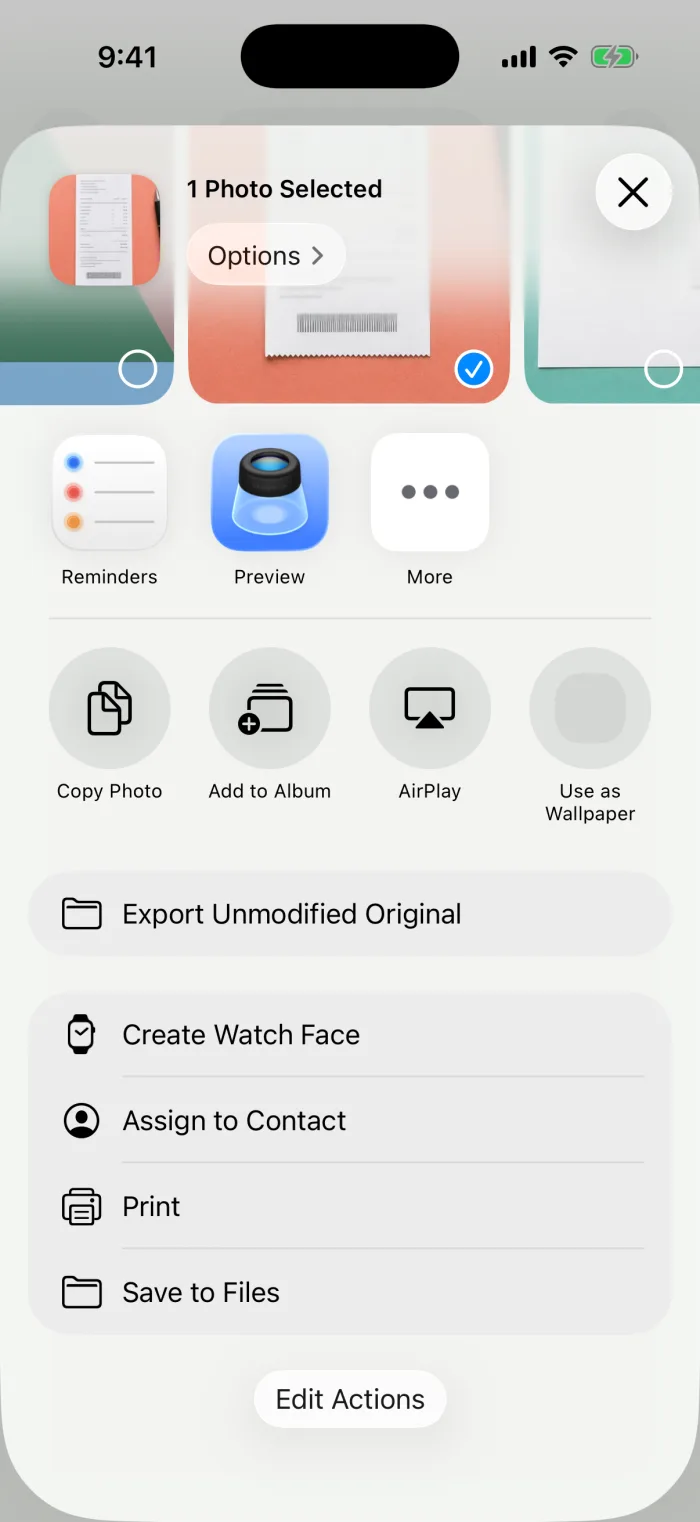 Step 2Scroll down, tap Save to Files and pick a folder.
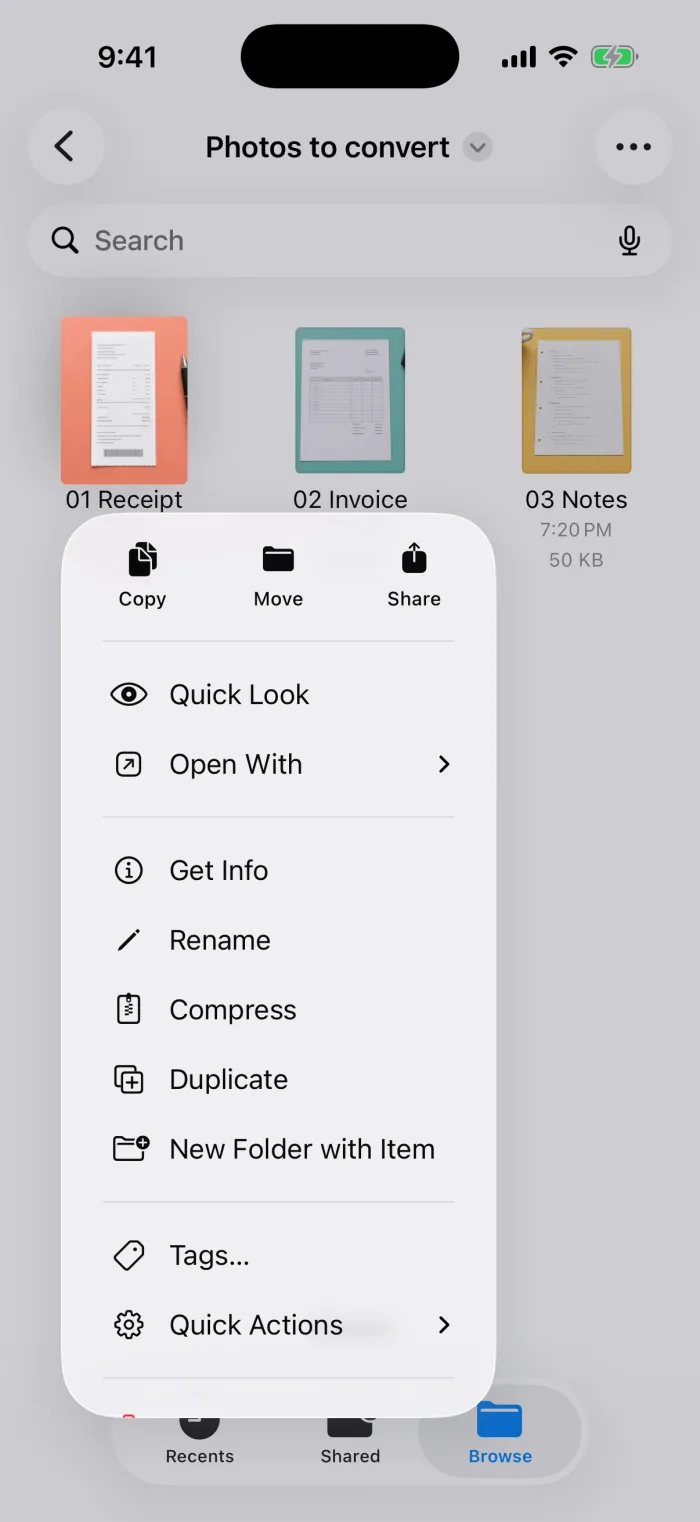 Step 3In Files, touch and hold the screenshot, then tap Quick Actions.
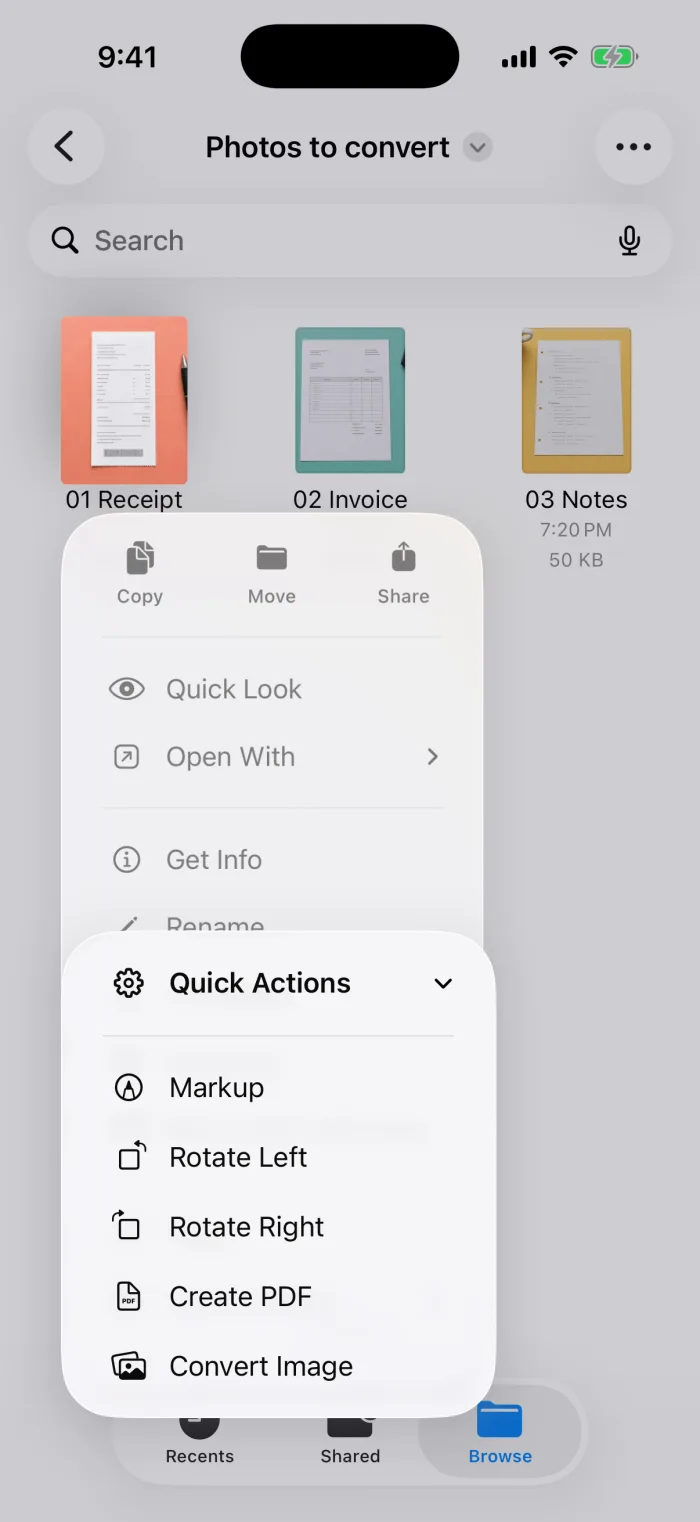 Step 4Tap Create PDF. The PDF appears next to the screenshot.
Save a supported full-page capture as PDF
In Safari you can capture a whole web page, not just what’s on screen, and save it straight as a PDF.
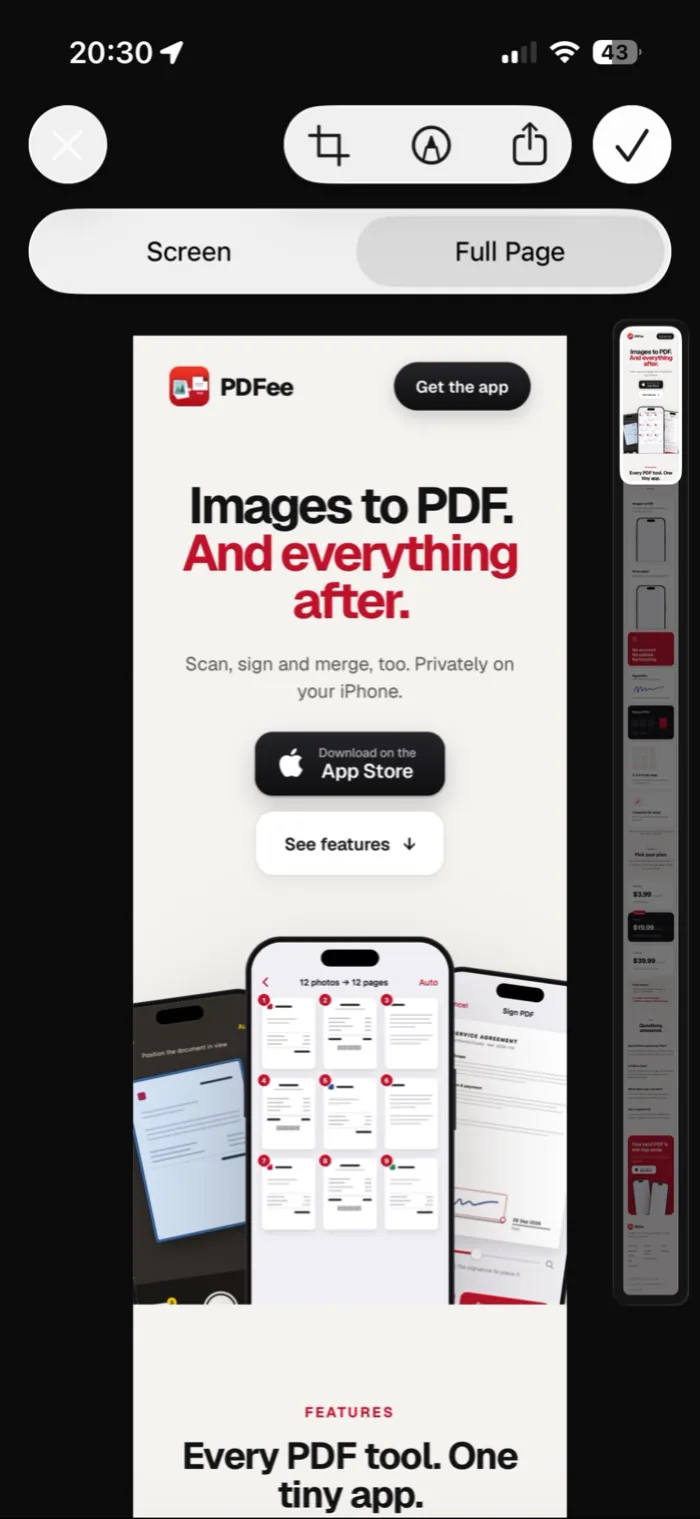 Step 1Open the page in Safari, take a screenshot and tap the preview in the corner before it disappears. Then tap Full Page at the top.
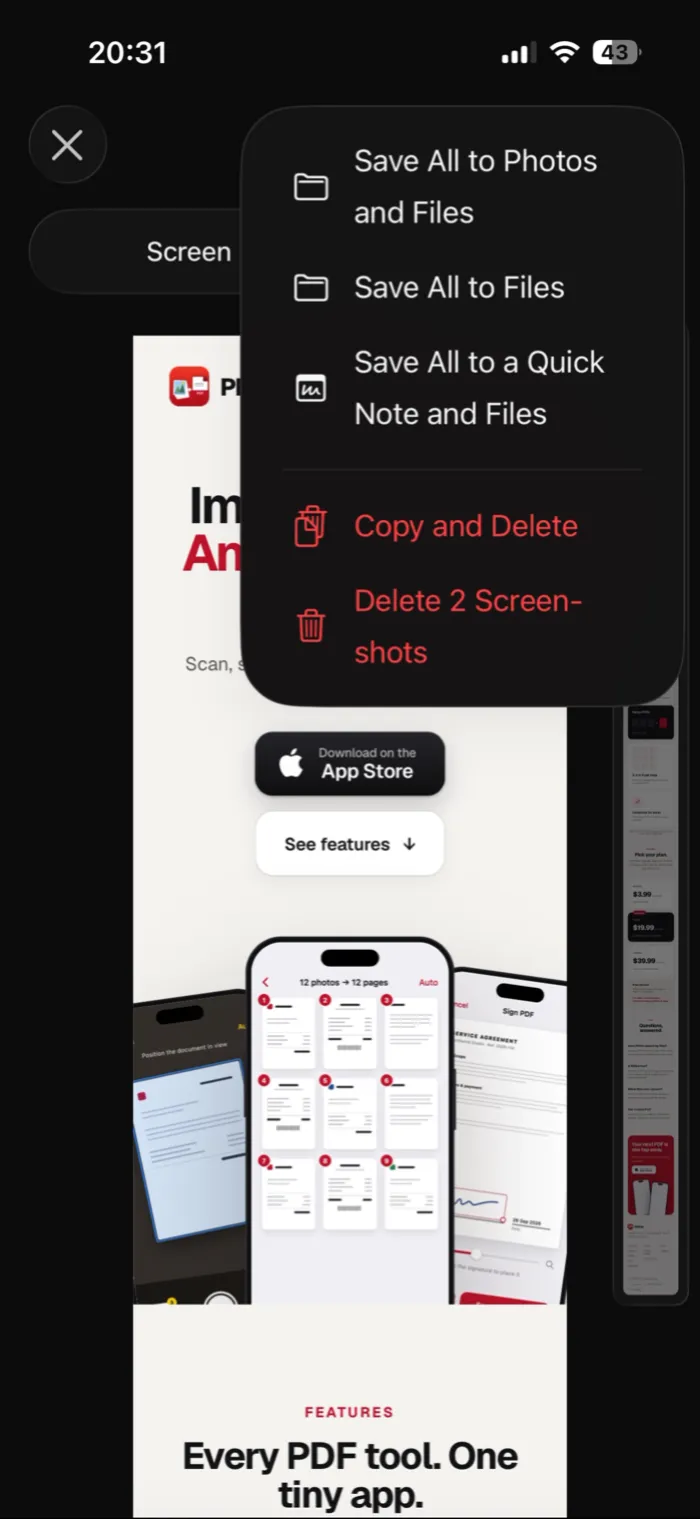 Step 2Tap Done and choose the option to save it to Files. With several screenshots open it’s called Save All to Files.
Turn screenshots into a PDF with PDFee
Useful when you have several screenshots, like a chat, a receipt or booking steps, and want them in one PDF in the right order. Everything happens on your iPhone.
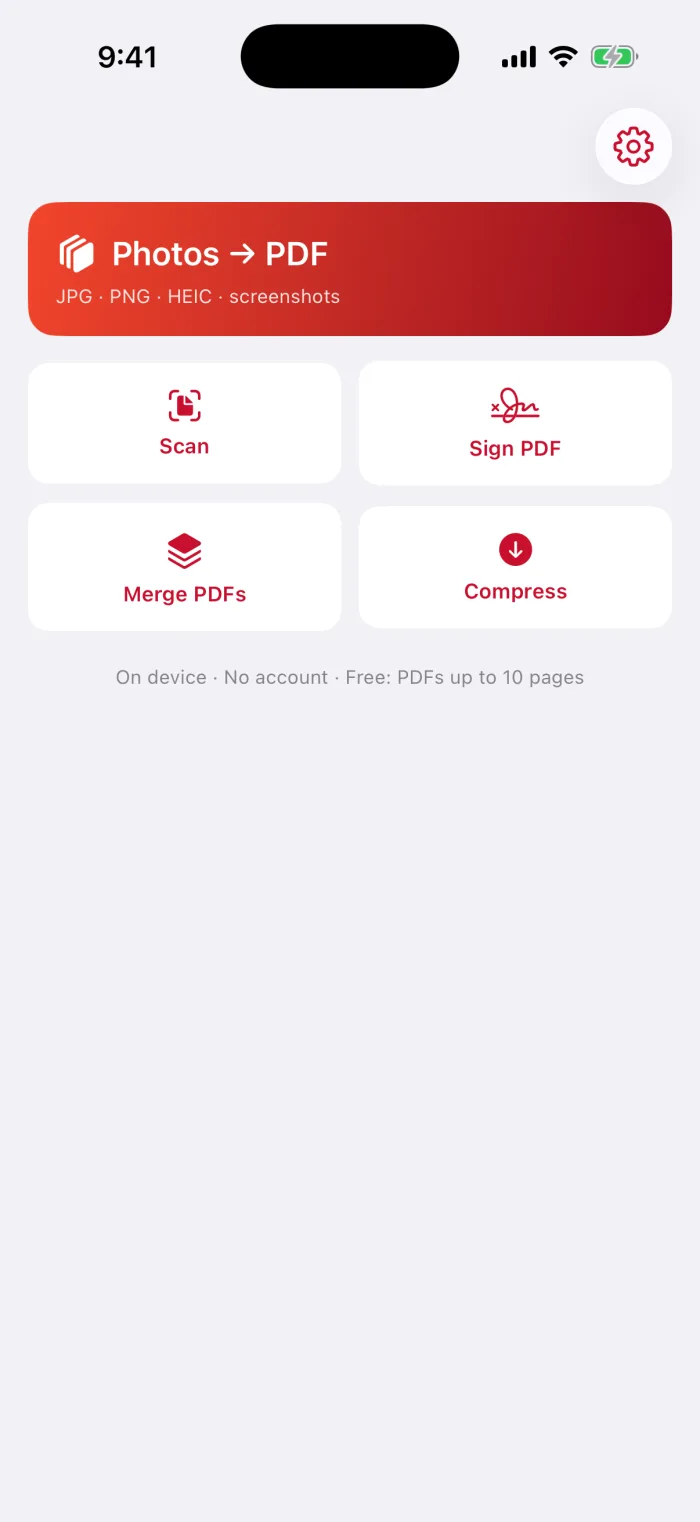
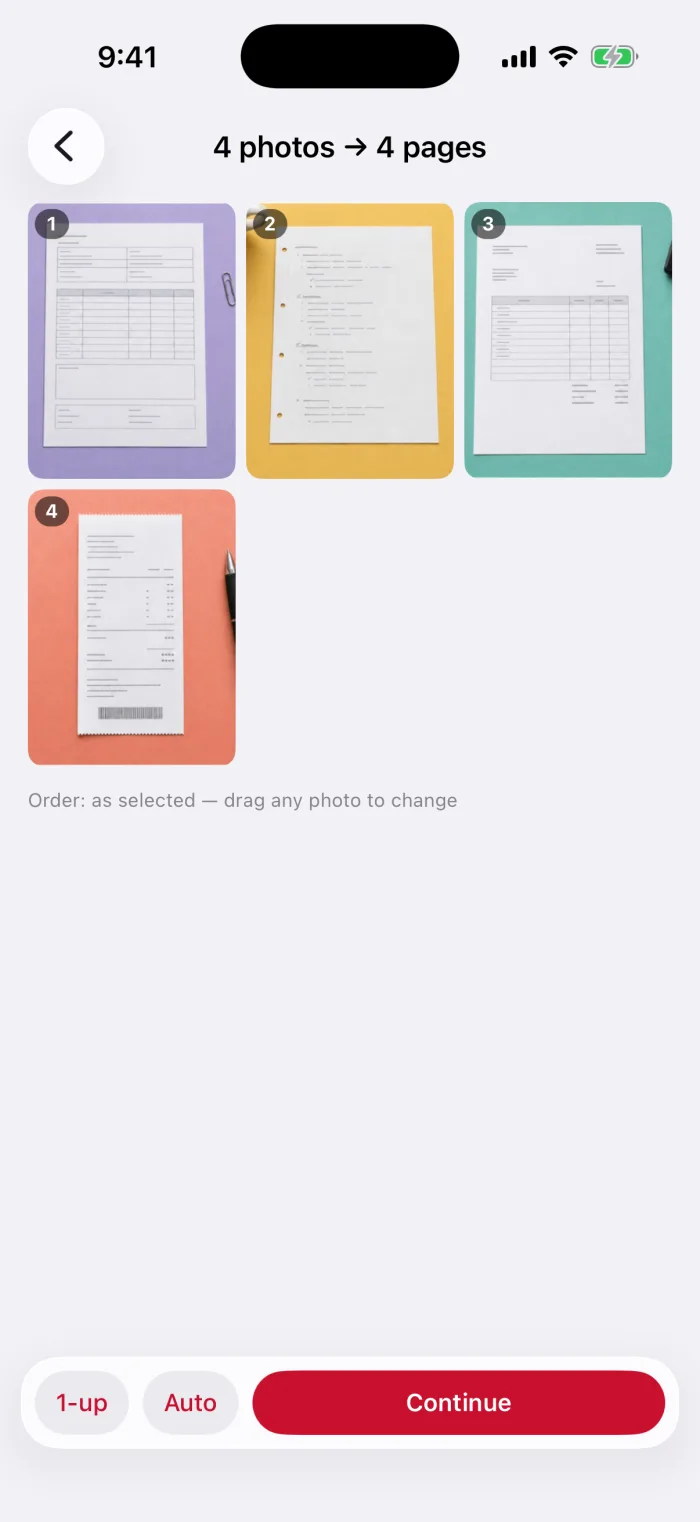
Tap Photos → PDF and pick the screenshots
Screenshots are photos too, so they use the same tool. In the picker, open the Screenshots album and tap them in the order you want.
Keep Auto page size
Auto makes each page the shape of its screenshot, so tall screenshots stay readable. Then tap Continue.
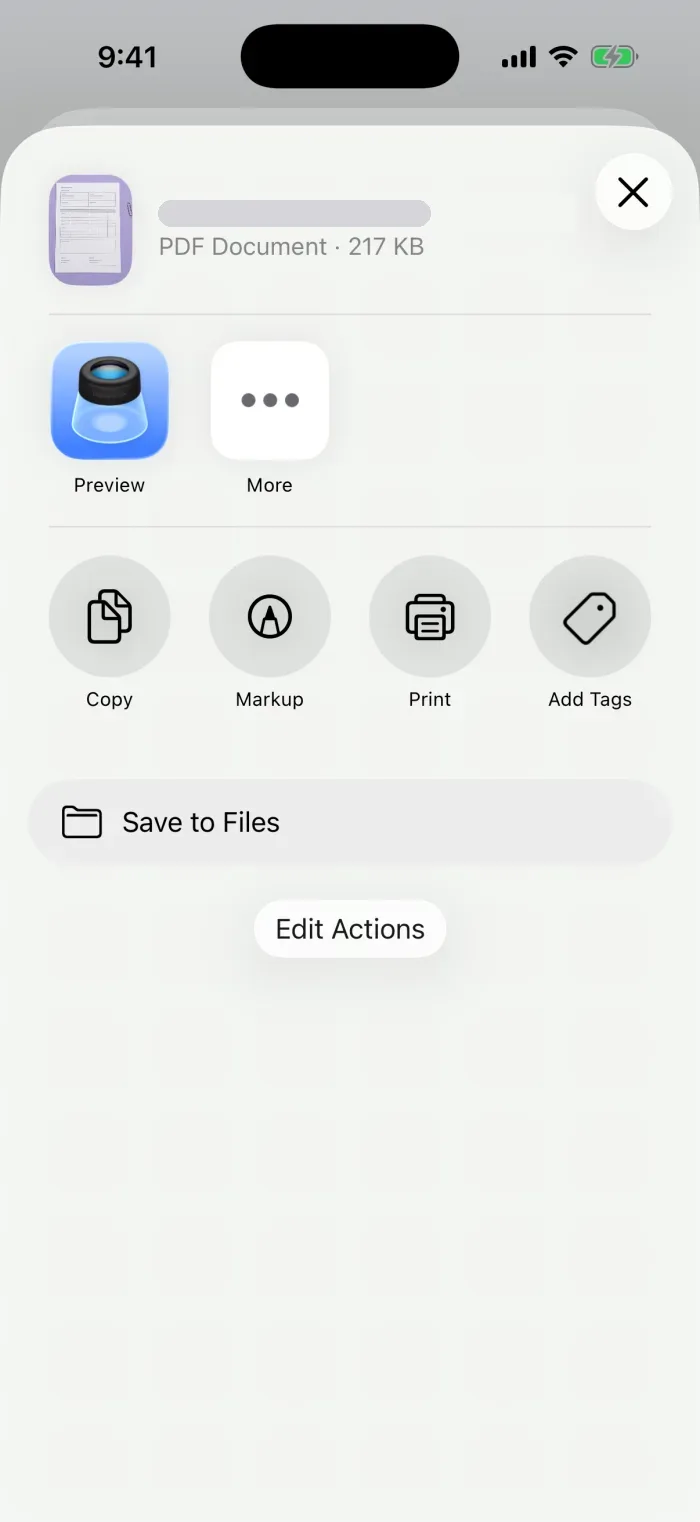
Create the PDF and share it
Pick a file size, tap Create PDF, then send or save it from the share sheet.
Check cropping, small text and output size
- Share itMail, Messages or AirDrop, from the share sheet.
- Save itSave to Files, then find it later under Recents.
- Photos, not screenshots?Photos and images to PDF
Questions
How can I convert a screenshot to a PDF?
Save the screenshot to Files, touch and hold it and tap Create PDF. Or, right after taking a screenshot in Safari, choose Full Page and save it as a PDF.
How do I get screenshots to save as PDF?
Screenshots are saved as images (PNG) in Photos. For a PDF, use the full-page option in Safari when you take it, or convert it afterwards with one of the methods above.
How do I change the screenshot file type on iPhone?
You can’t change the format screenshots are saved in. Convert them afterwards: to PDF with the steps above.
Why is the text so small in my screenshot PDF?
A tall screenshot on a Letter or A4 page gets scaled down to fit. Use the Auto page size so the page takes the screenshot’s shape.
What to do next