How to Compress a PDF on iPhone
Most large PDFs are large because of the photos or scans inside them. Here’s how to shrink those on iPhone with the built-in Preview app, when PDFee is quicker, and what you give up in return.
 PDFee teamUpdated September 27, 2026 · 5 min readTestediPhone 14 Pro · iOS 26.6.2 · PDFee 1.6
On this page
Quick answer
Open the PDF in the Preview app, tap the file name at the top and choose Export. Pick PDF, turn on Optimize Images for Screen and Save Images as JPEG, then save the copy.
- 1Tap Compress
- 2Choose the PDF
- 3Pick Email-ready
Check what makes your PDF large
A PDF’s size mostly comes from what’s inside it. Knowing which kind you have tells you how much compressing can help.
Which method should you use?
Try the native Preview compression options
iPhone has a Preview app for PDFs and images (iOS 26 and later). Its export options can shrink the images inside a PDF.
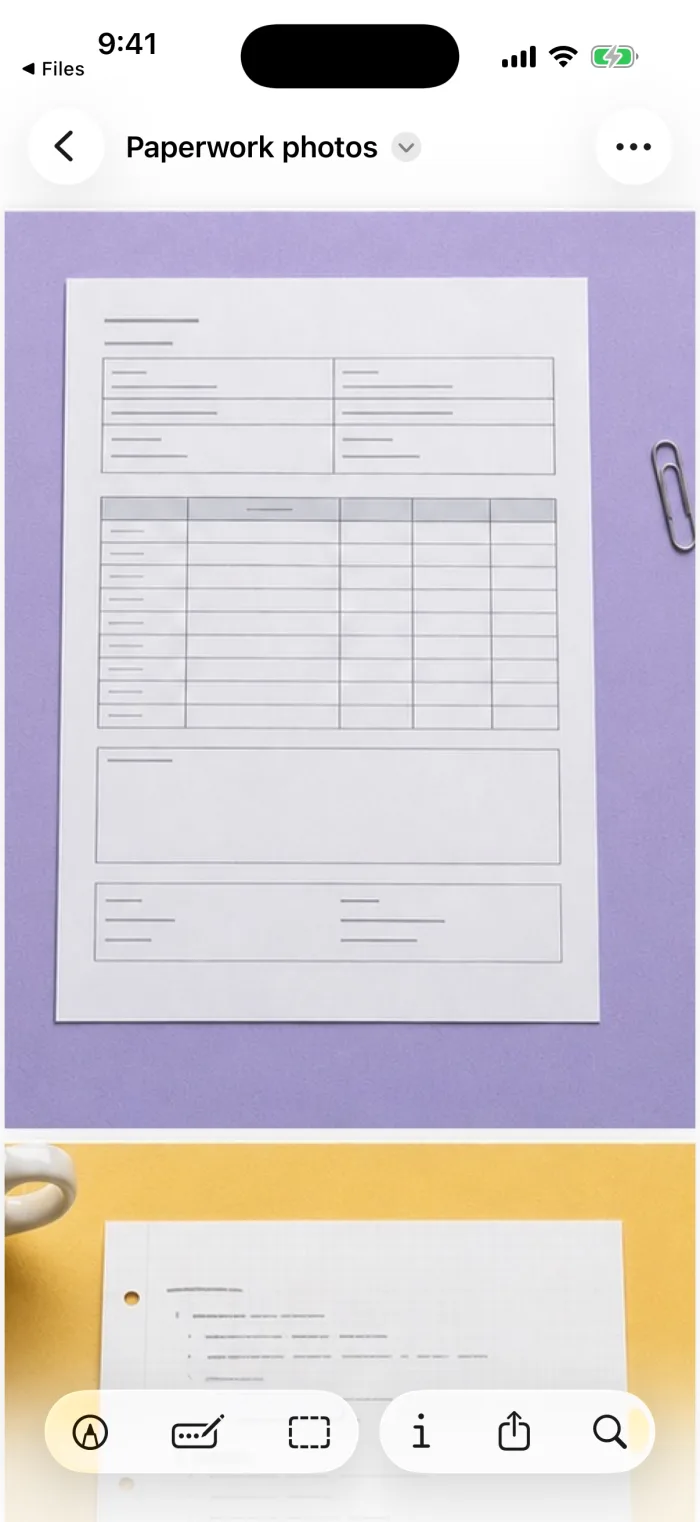 Step 1Open the Preview app and open the PDF.
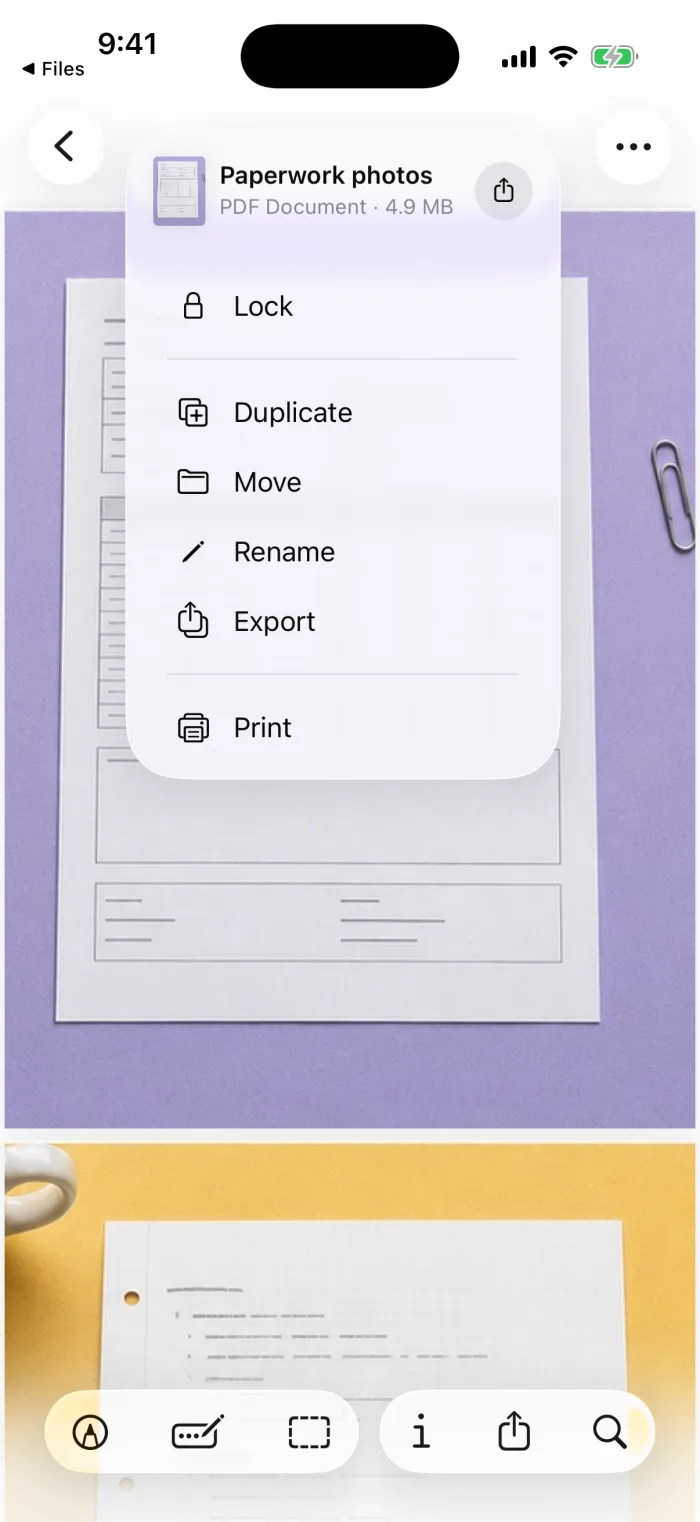 Step 2Tap the file name at the top, then Export.
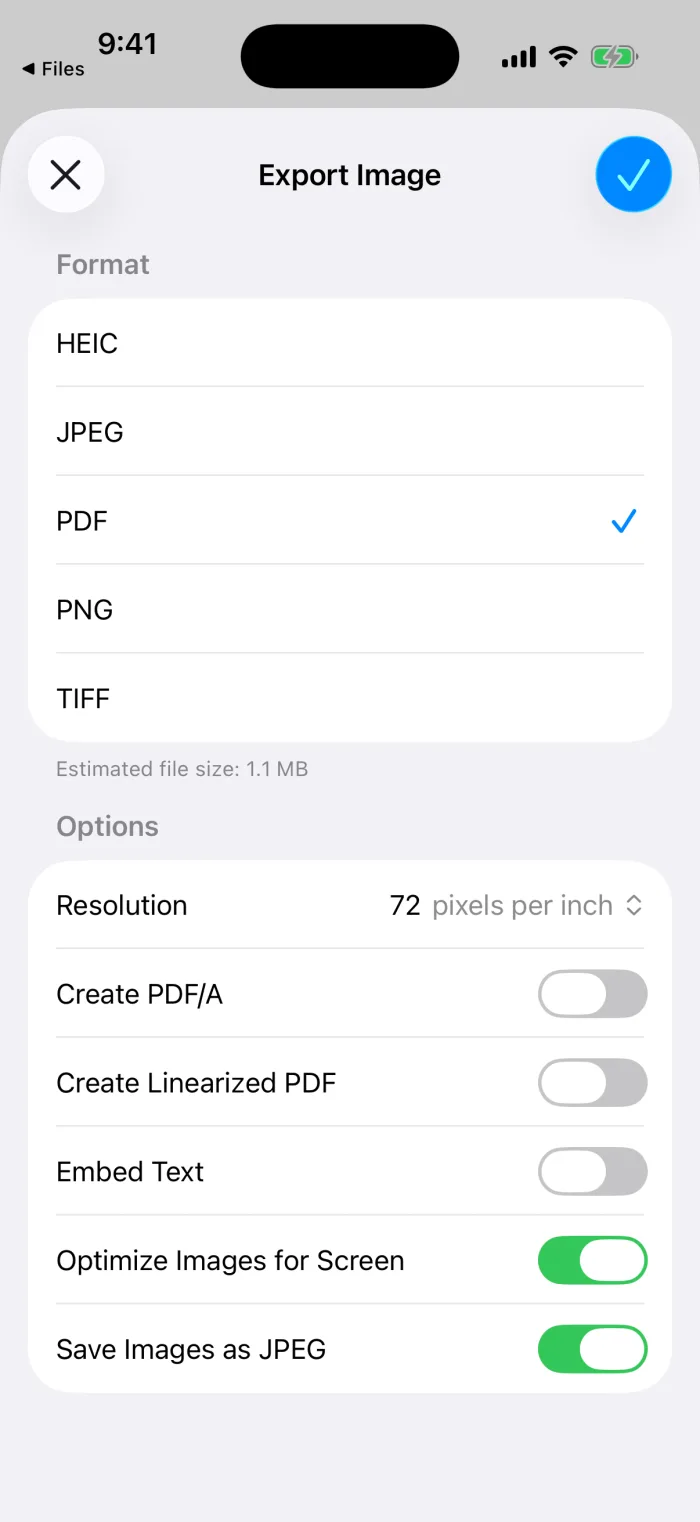 Step 3Choose PDF as the format (if you don’t see it, tap the options button first) and turn on Optimize Images for Screen and Save Images as JPEG. Then tap the checkmark and choose where to save the copy; the original stays as it was.
Compress a photo or scanned PDF with PDFee
PDFee shows the current size, lets you pick how small to go, and shows the new size before you send it. It works on a copy on your iPhone; nothing is uploaded.
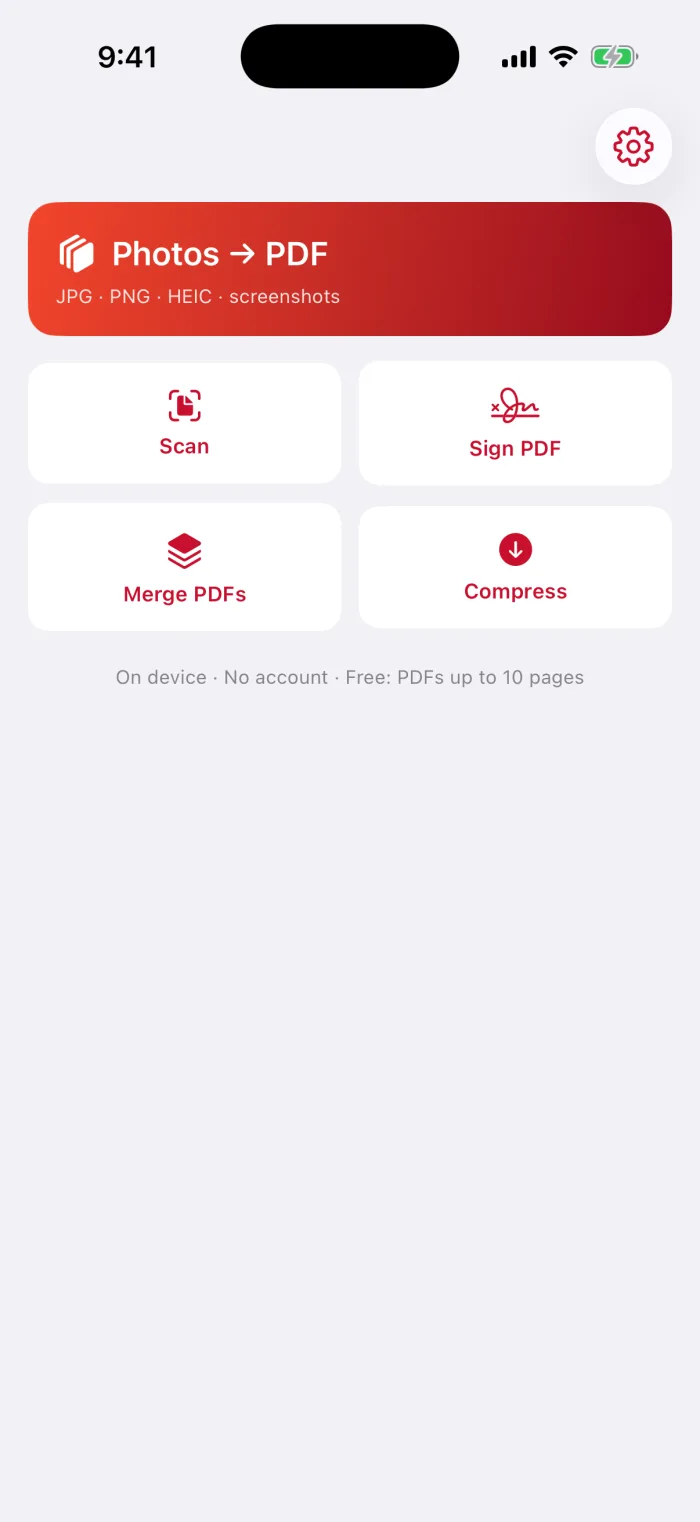
Open PDFee and tap Compress
It’s one of the four tiles on the home screen.
Tap Choose PDF
Pick the PDF in Files. PDFee shows its page count and Current size.
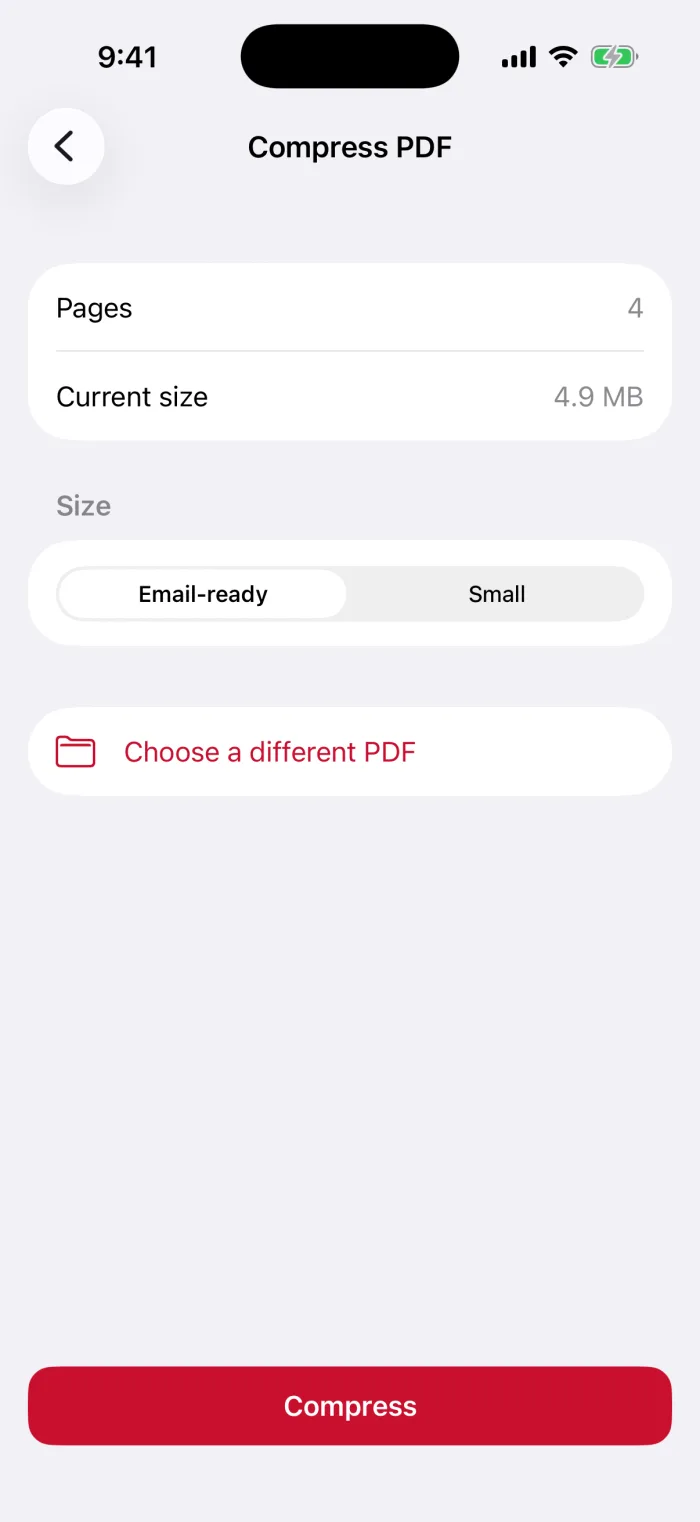
Pick Email-ready or Small
Email-ready keeps pages sharp enough to read and print. Small goes further, for strict size limits.
Tap Compress, then share or save
The New size appears next to the current size and the share sheet opens. The copy is also kept under Recent in PDFee. If the new size isn’t smaller, keep your original.
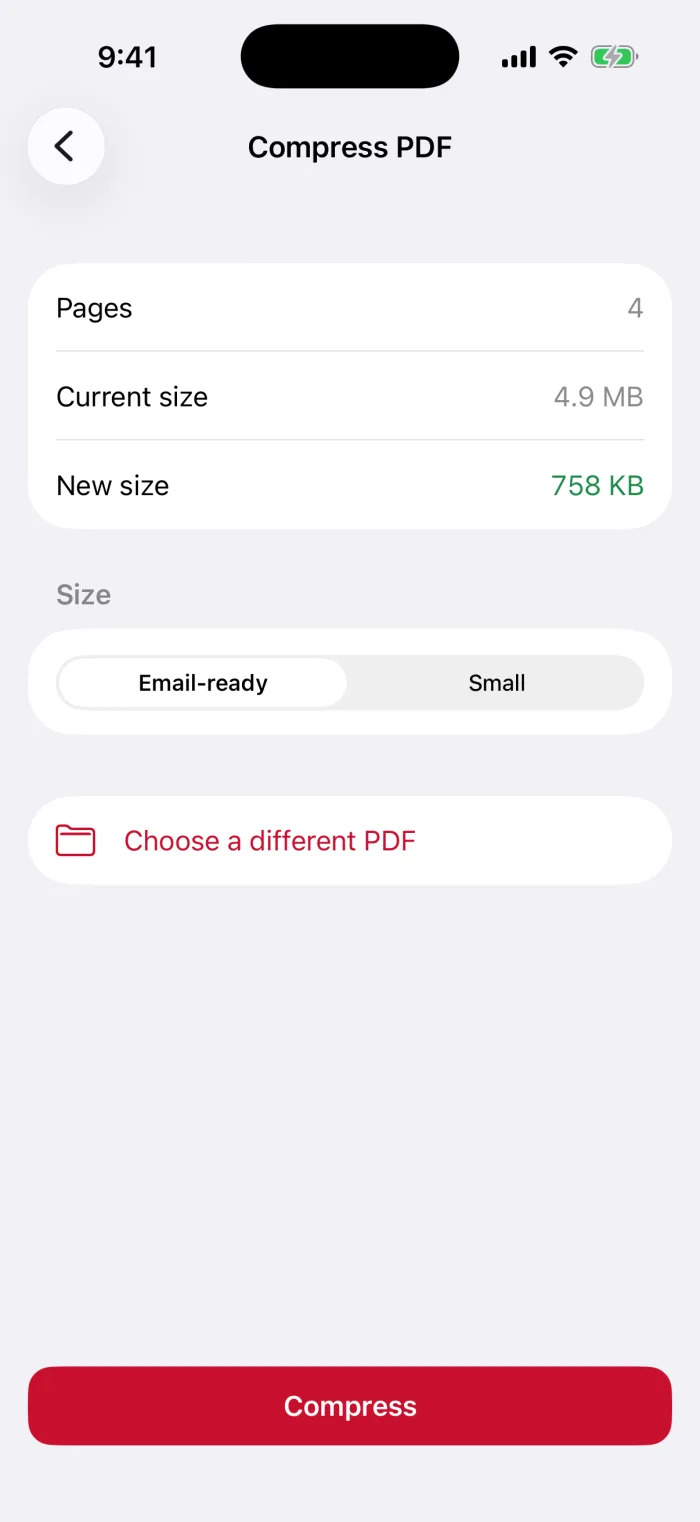
Check the smaller PDF before you send it
- Keep the originalBoth methods make a new file. Keep the original if you may need full quality or selectable text later.
- Send itChoose Mail or Messages in the share sheet.
- Several files?Combine files before compressing, then compress the combined PDF once.
Questions
How do I decrease the MB of a PDF?
Shrink the images inside it. In Preview, export the PDF with Optimize Images for Screen and Save Images as JPEG turned on. In PDFee, compress it with Email-ready or Small. PDFs that are mostly text are already small and barely change.
How can I compress a PDF on my phone?
On iPhone, use the Preview app’s export options, or a PDF app such as PDFee. Both work on the iPhone itself, without uploading the file.
How do I compress a file on my iPhone?
The Compress option in the Files app makes a .zip archive. That helps for sending many files at once, but it barely shrinks a PDF. To make the PDF itself smaller, use one of the methods above.
Will compressing make my PDF blurry?
It can. Compression lowers image resolution. Try the lighter setting first (Email-ready in PDFee), zoom in on small text, and only go smaller if you need to.
What to do next