How to Scan and Save Receipts as PDF on iPhone
Receipts are small, long, curled and often faded, which makes them harder to scan than a letter. Here’s how to get a readable PDF of them on iPhone, and keep them together.
 PDFee teamUpdated September 27, 2026 · 4 min readTestediPhone 14 Pro · iOS 26.6.2 · PDFee 1.6
On this page
Quick answer
Lay the receipt flat on a dark surface. In Files, open a folder, tap ••• › Scan Documents and hold the iPhone over it until it captures. Tap the checkmark: the receipt is saved in that folder as a PDF.
- 1Tap Scan
- 2Capture each receipt
- 3Create PDF
Capture a readable receipt with built-in tools
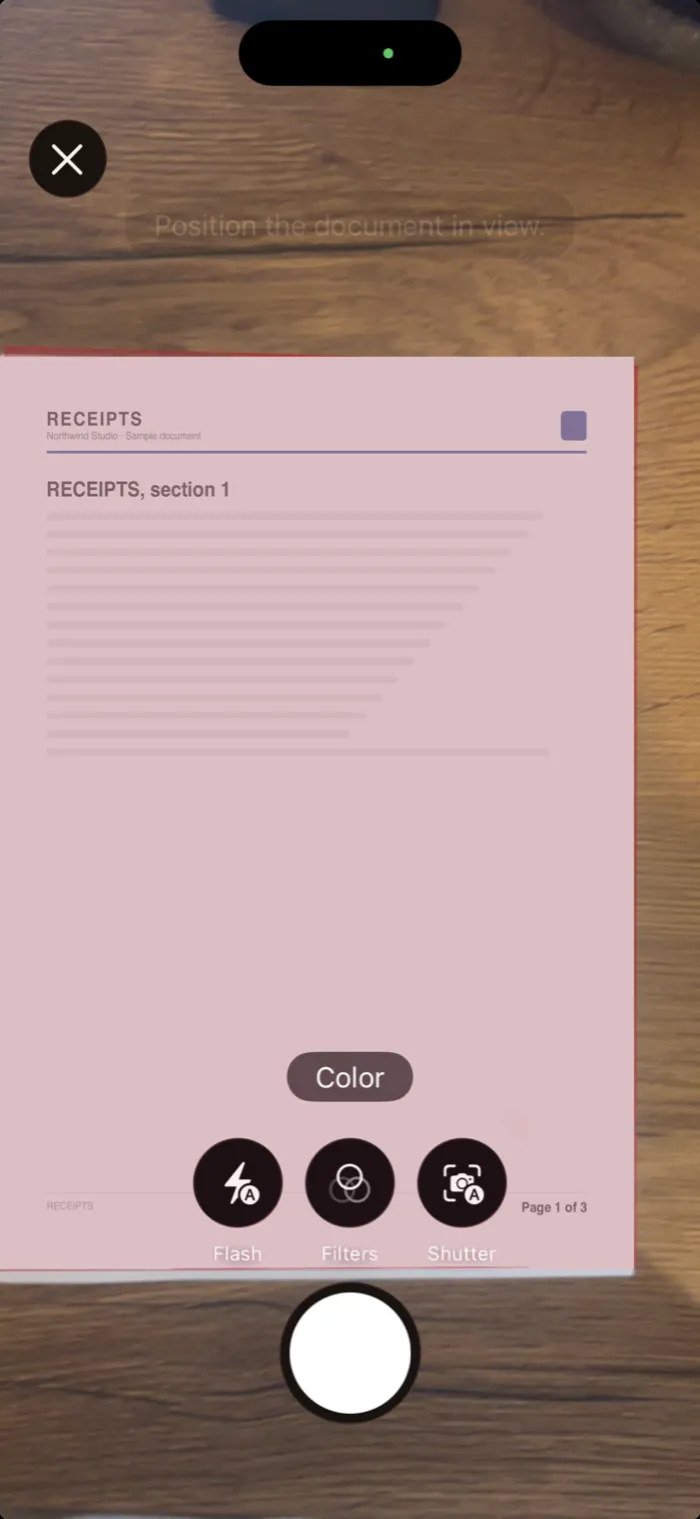 Step 1Put the receipt on a dark, flat surface in good light.
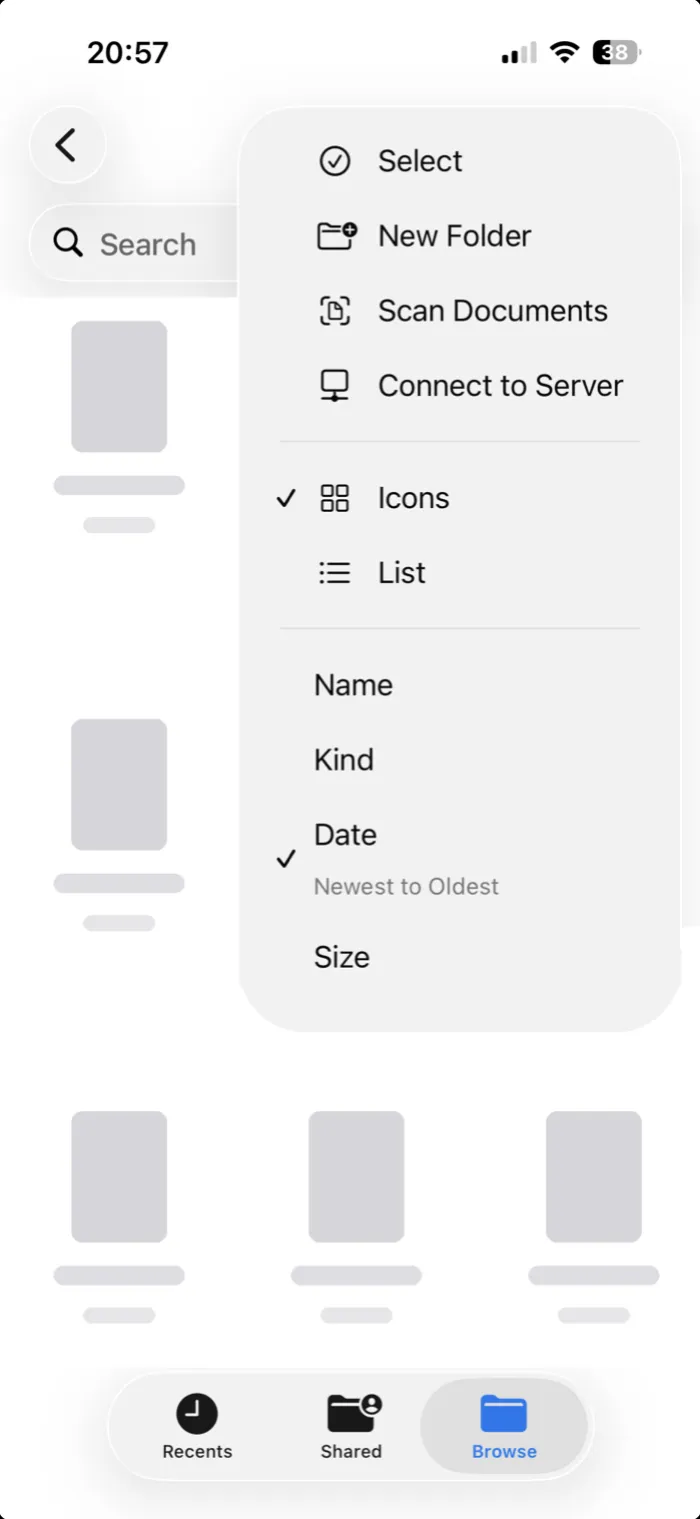 Step 2In Files, open a folder and tap ••• › Scan Documents. Or use Notes.
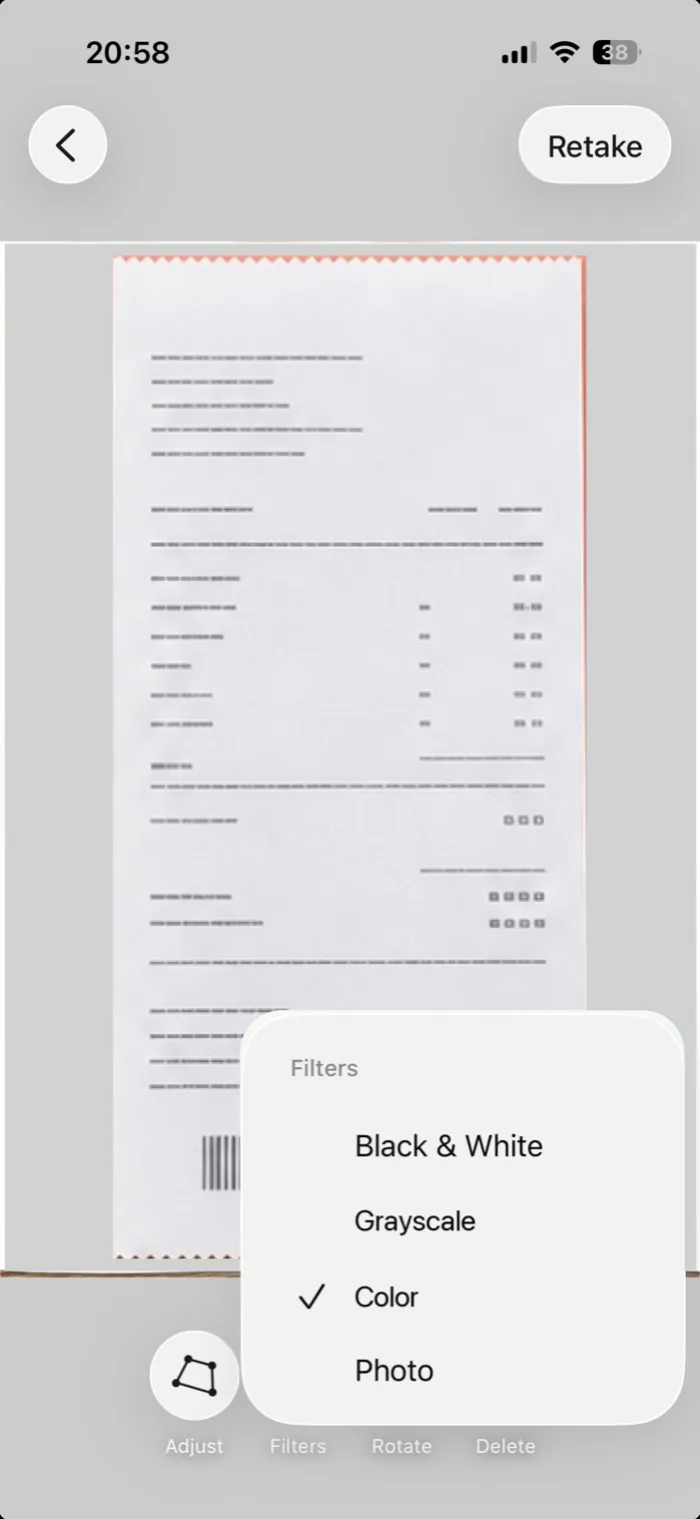 Step 3Tap Filters and pick Black & White if the print is faint.
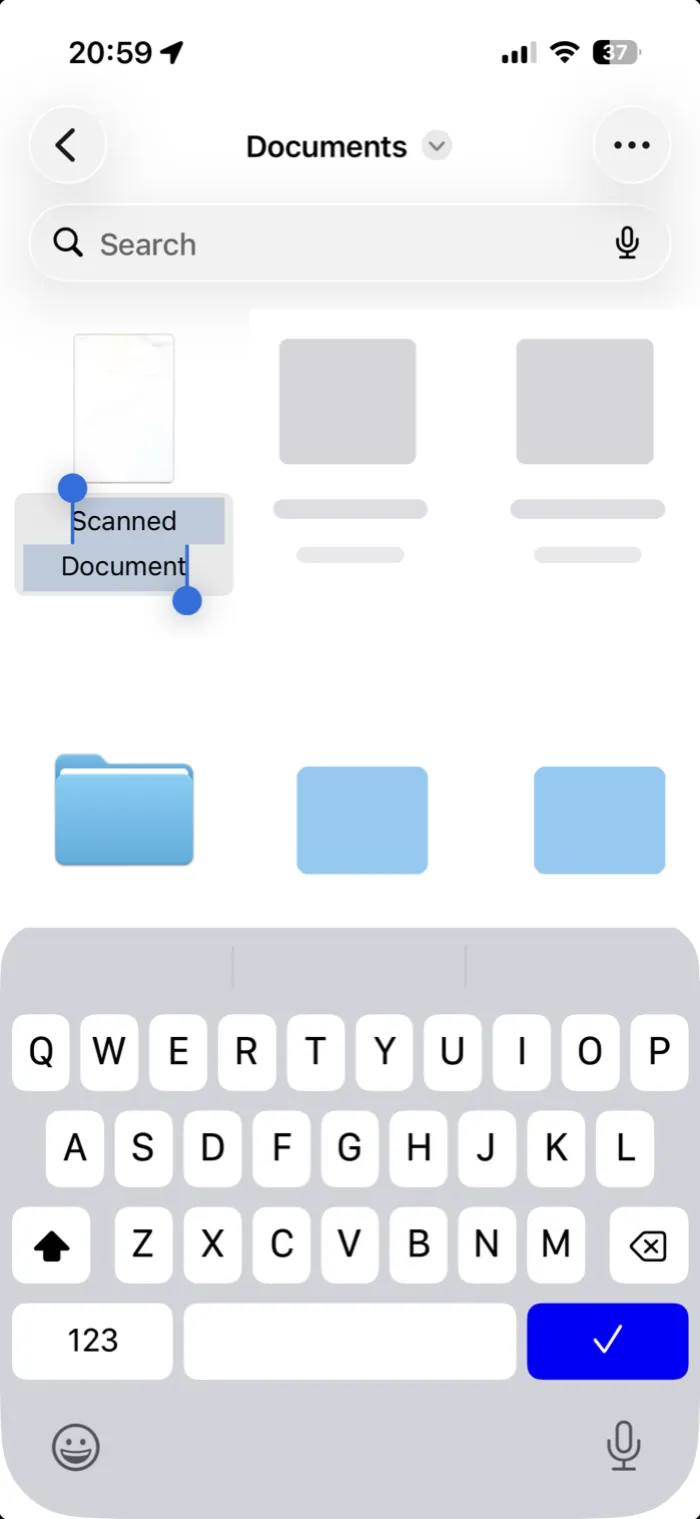 Step 4Capture every receipt, then tap the checkmark. They’re saved together as one PDF in that folder, named Scanned Document. Type a new name right away.
Scan a receipt to PDF with PDFee
PDFee uses Apple’s scanner too. It helps when you want receipts in a set order, on Letter or A4 pages, or several on one sheet. Everything stays on your iPhone.
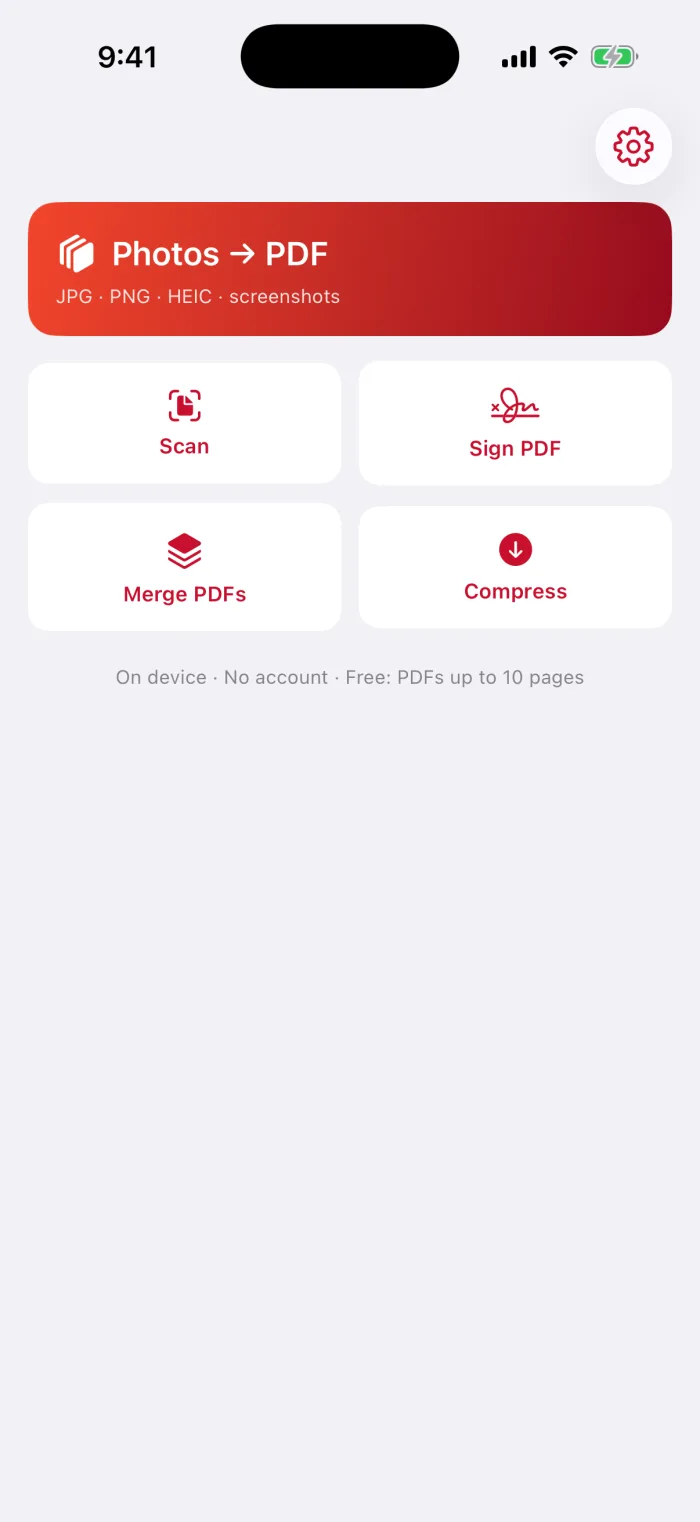
Tap Scan
The Scan tile is under the Photos → PDF card on the home screen.
Capture each receipt
One receipt per capture, with the whole receipt in view.
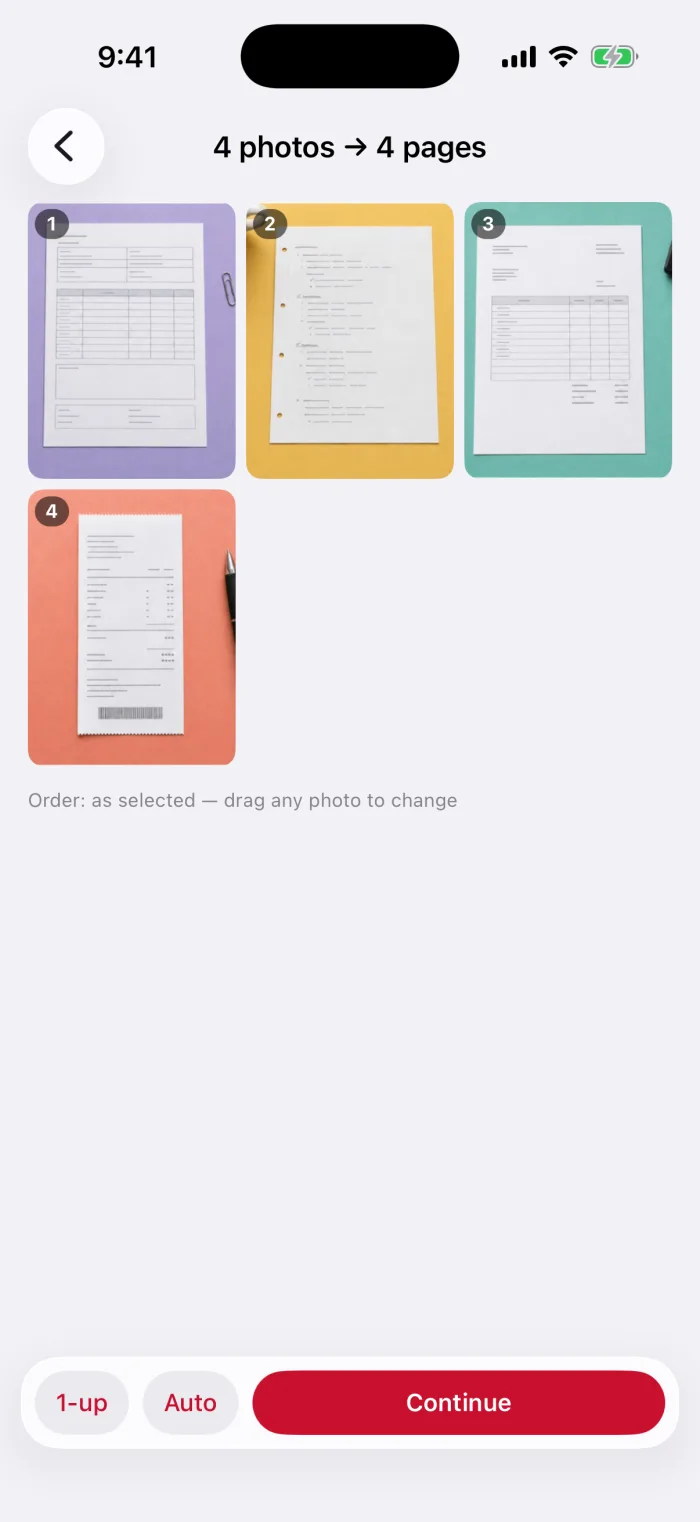
Order them and pick a layout
Drag receipts into order. With Pro, put 4 or 9 on one page to save paper.
Create PDF and save it
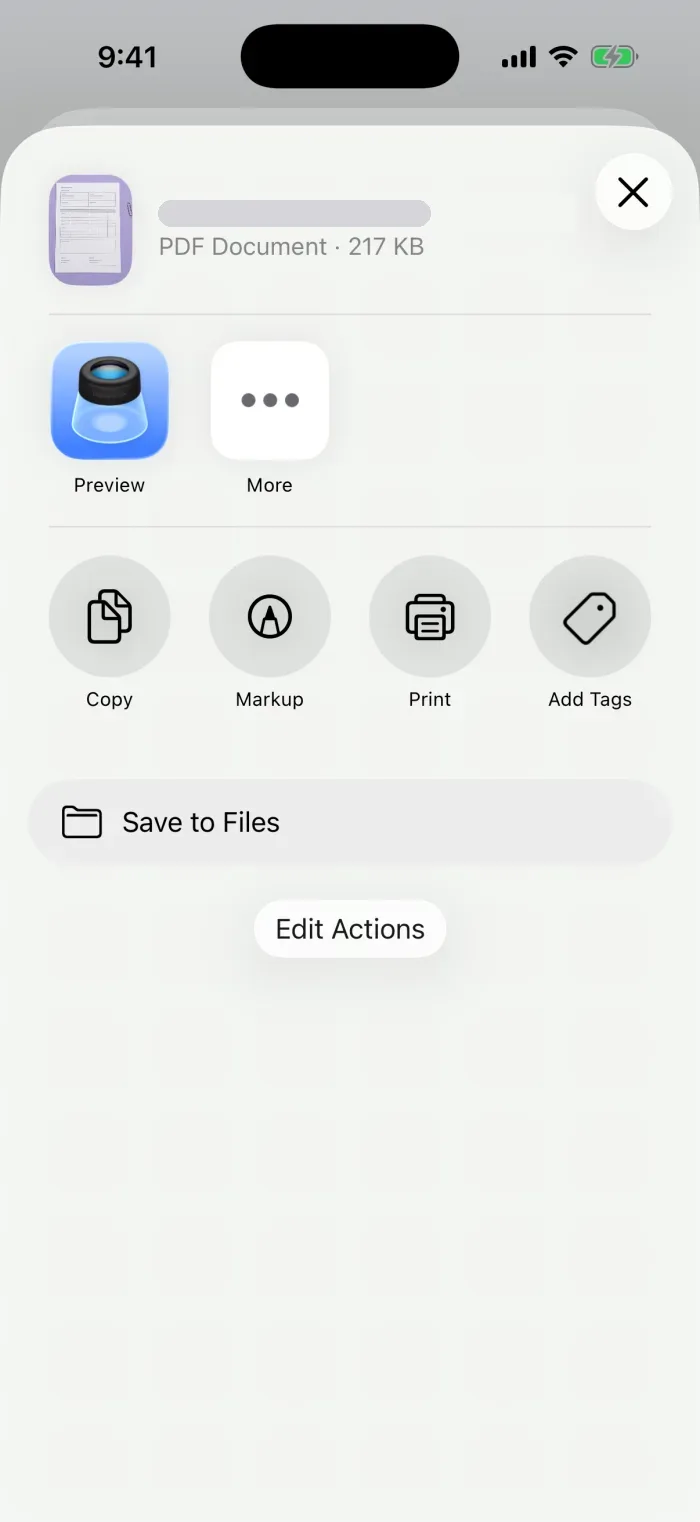
Pick a file size, tap Create PDF, then Save to Files.
Check long, curled or faded receipts
Name, save and find the PDF
- One folderMake a folder in Files, for example Receipts 2026, and save every receipt PDF there.
- A clear nameTouch and hold the PDF › Rename: date and store, like 2026-09 Grocery.
- Find it laterSearch in Files by name, or open Recents.
Combine or reduce receipt PDFs when needed
- A month in one fileCombine the separate receipt PDFs
- Several on one pagePut multiple photos on one PDF page
- Too big to sendCompress the PDF
Questions
What is the easiest way to scan receipts?
Use the scanner built into Notes or Files: it finds the edges and straightens the receipt. Scan a month’s receipts in one session to get them in one PDF.
How do I scan a receipt on my phone?
Put the receipt on a dark surface, open a scanner (Notes, Files or PDFee), hold the iPhone over it until it captures, then save it as a PDF.
Does PDFee read the amounts on my receipts?
No. PDFee saves receipts as PDF pages. It doesn’t extract totals, sort expenses or send anything to accounting software.
What to do next