How to Combine PDF Files on iPhone
You can join PDFs on iPhone without a computer. Here are the two built-in ways, how to get the page order right, and when PDFee is quicker.
 PDFee teamUpdated September 27, 2026 · 5 min readTestediPhone 14 Pro · iOS 26.6.2 · PDFee 1.6
On this page
Quick answer
In the Files app, tap ••• › Select, select the PDFs, then tap ••• › Quick Actions › Create PDF. A new, combined PDF appears in the same folder.
- 1Tap Merge PDFs
- 2Add and order the files
- 3Tap Merge
Which method should you use?
Combine PDFs with built-in iPhone tools
Option A: The Files app
Quickest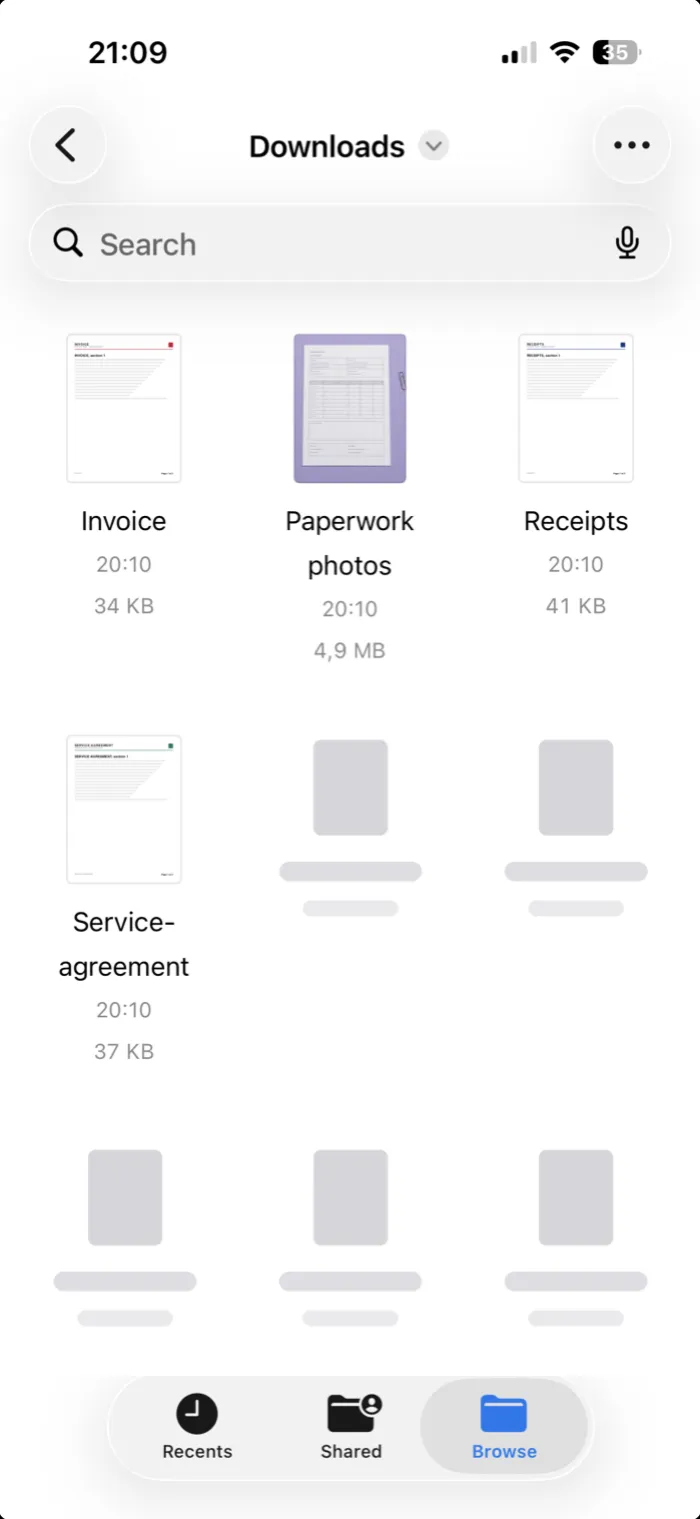 Step 1Put the PDFs in the same folder in Files.
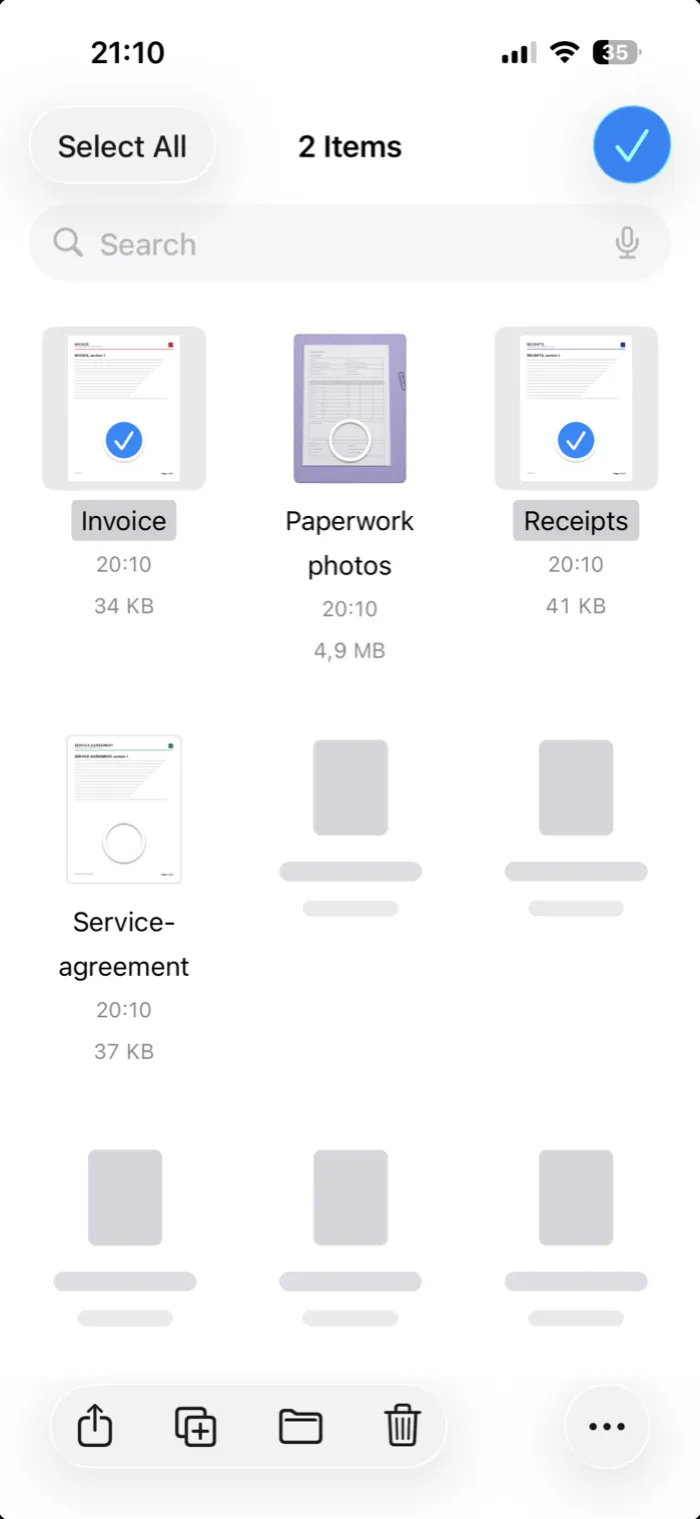 Step 2Tap ••• at the top, then Select, and tap each PDF.
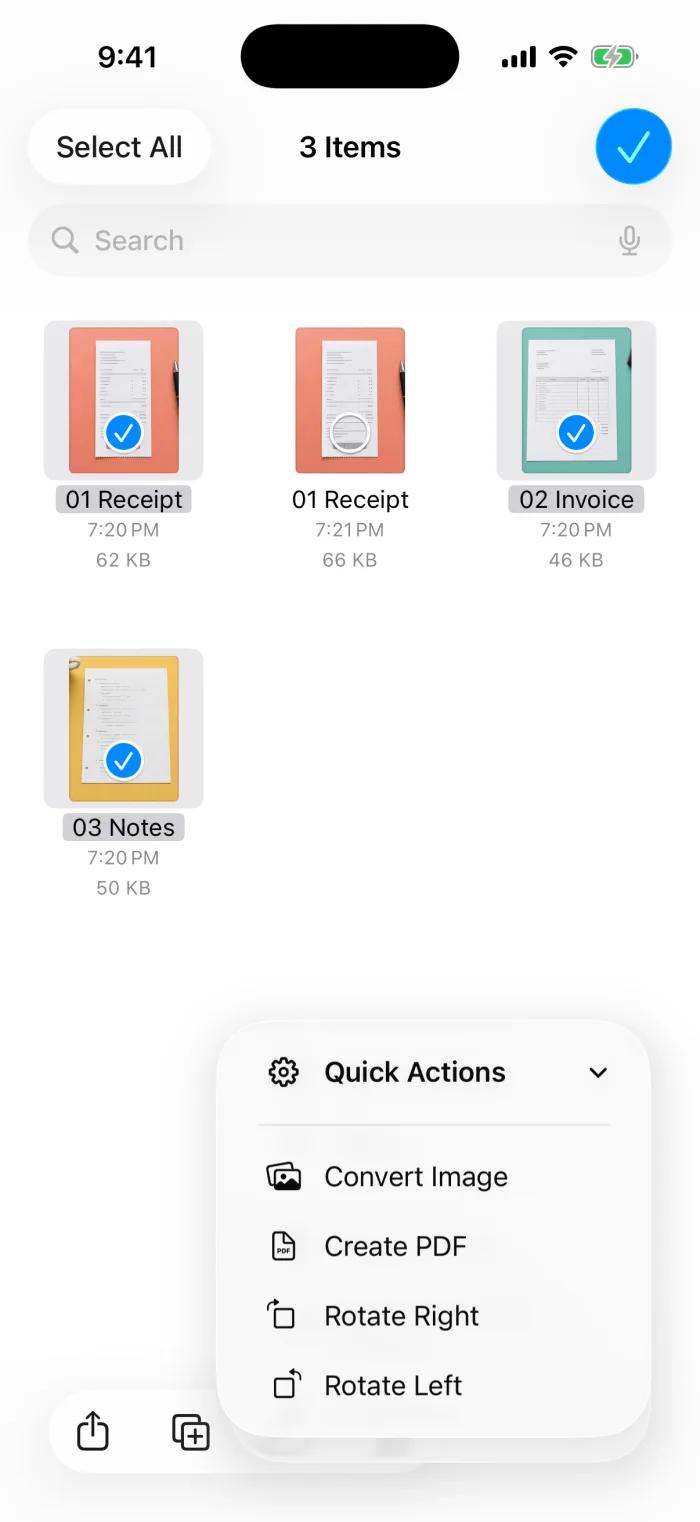 Step 3Tap ••• at the bottom, then Quick Actions › Create PDF.
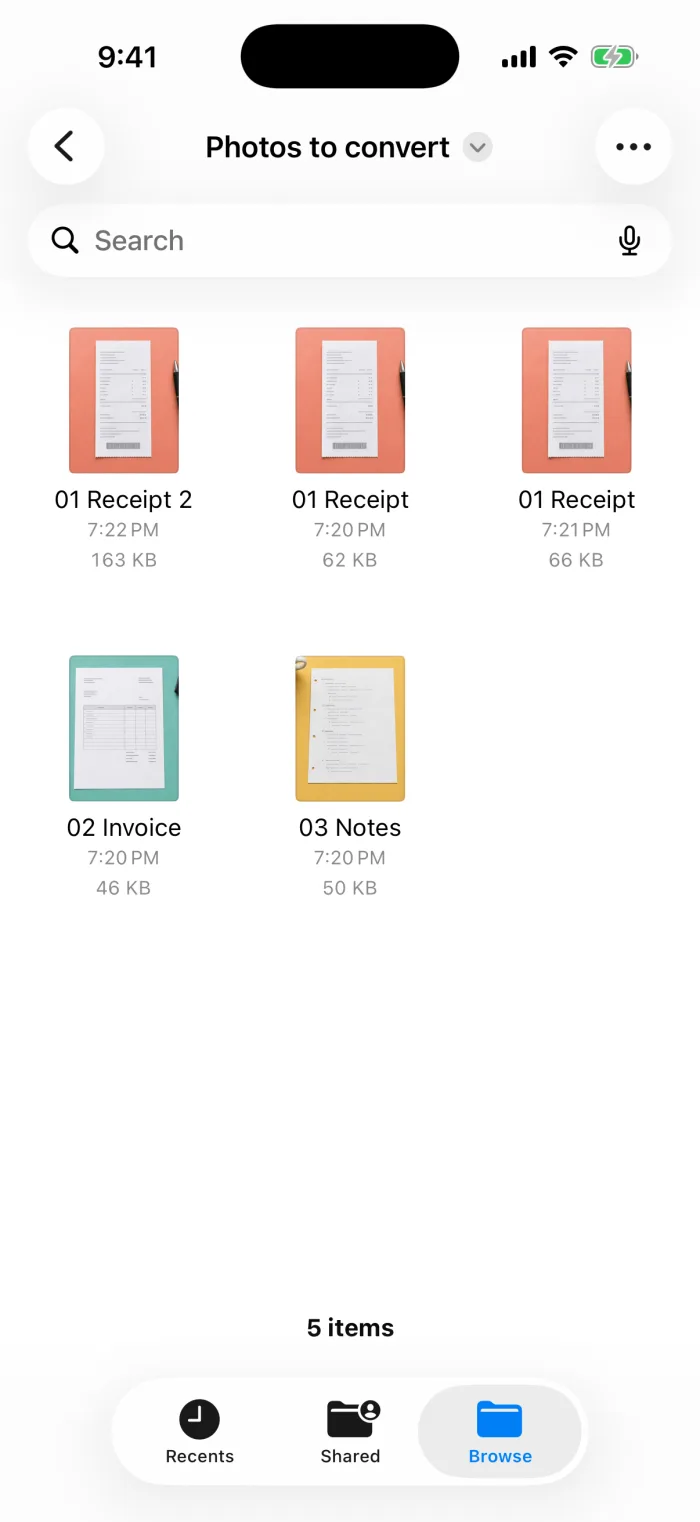 Step 4A new PDF appears in the folder, named after the first file. Rename it by touching and holding it.
Option B: The Preview app
Insert one PDF into another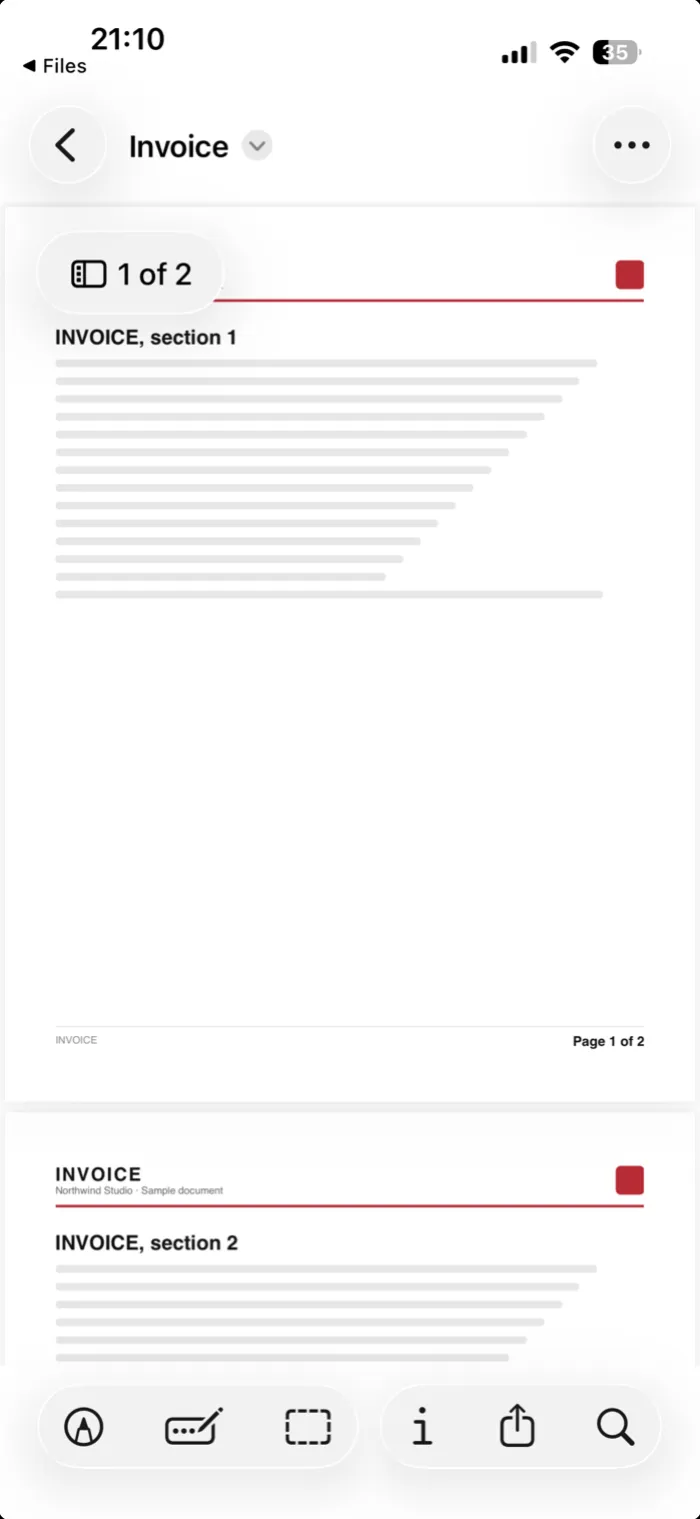 Step 1Open the first PDF in the Preview app (iOS 26 and later).
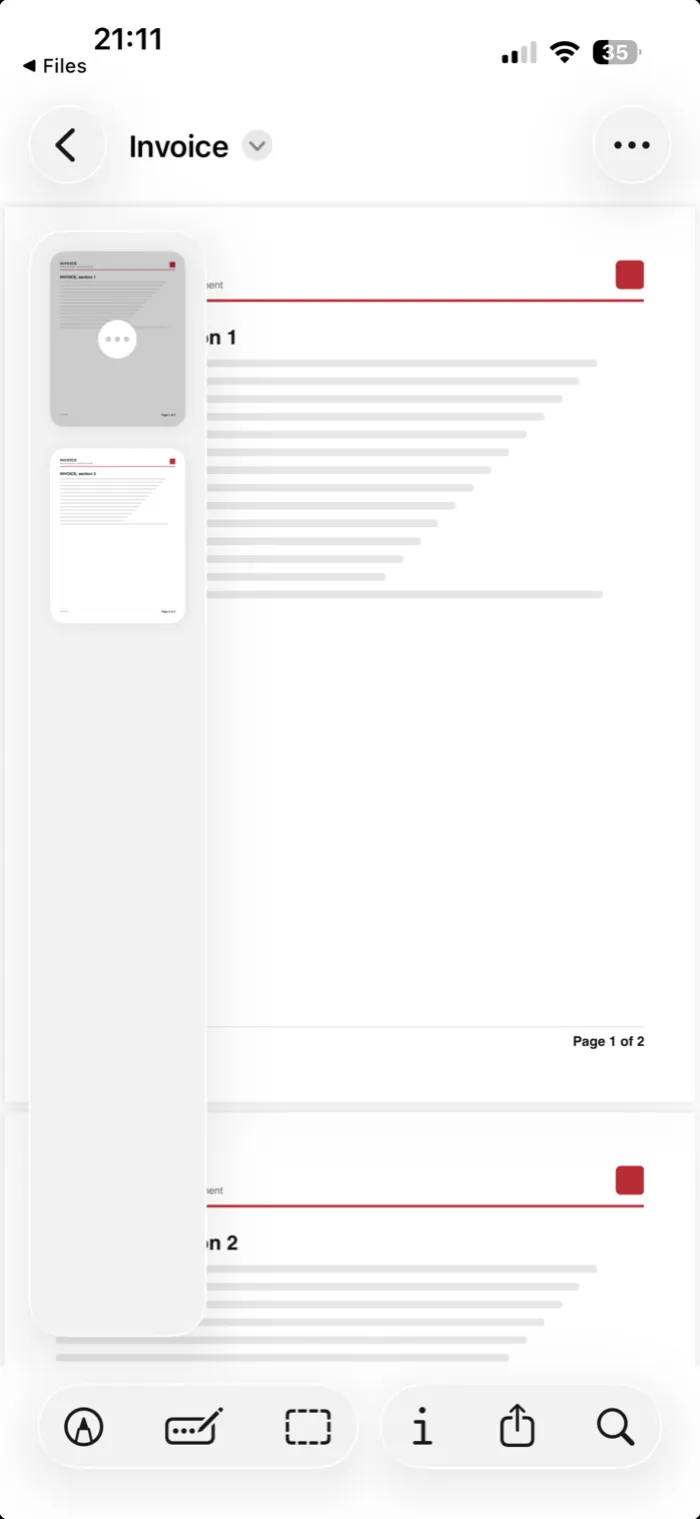 Step 2Tap the page count to show the page thumbnails.
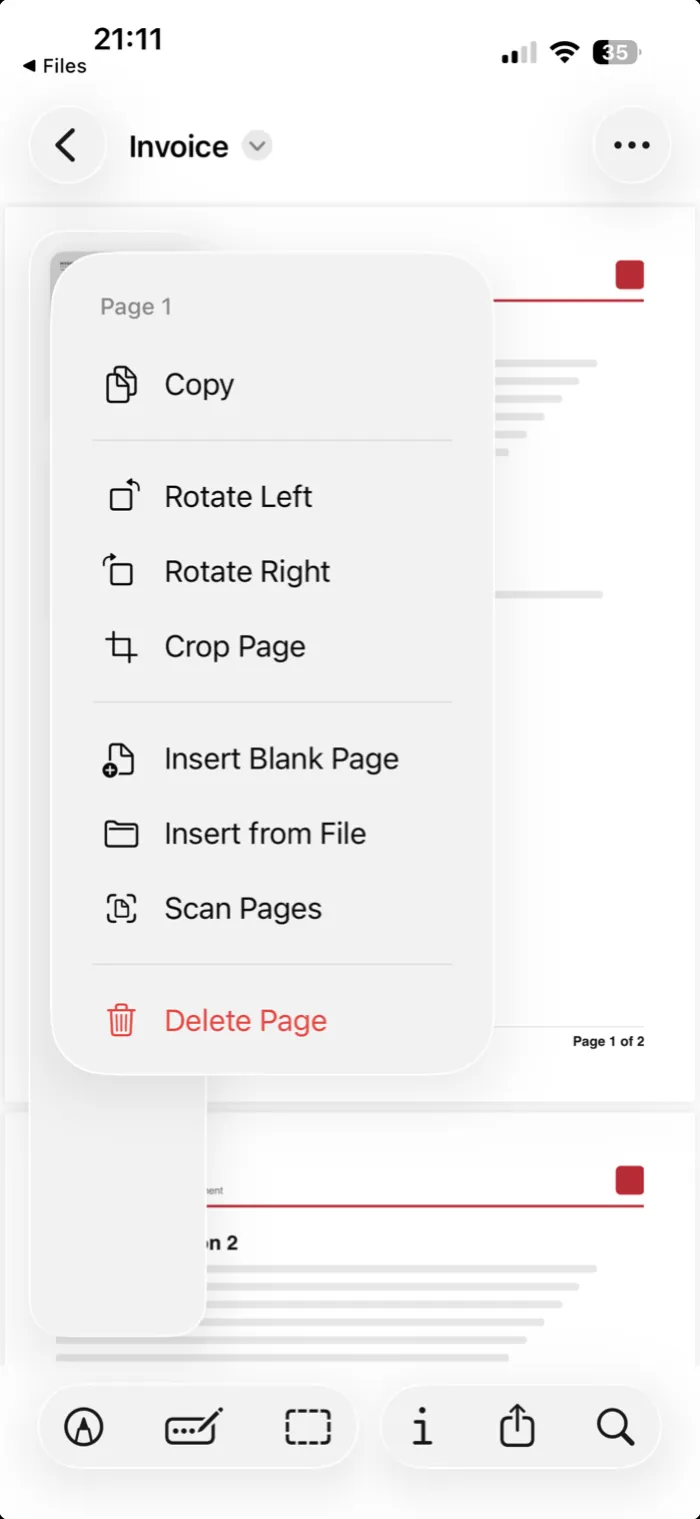 Step 3Touch and hold a thumbnail, then tap Insert from File and pick the second PDF.
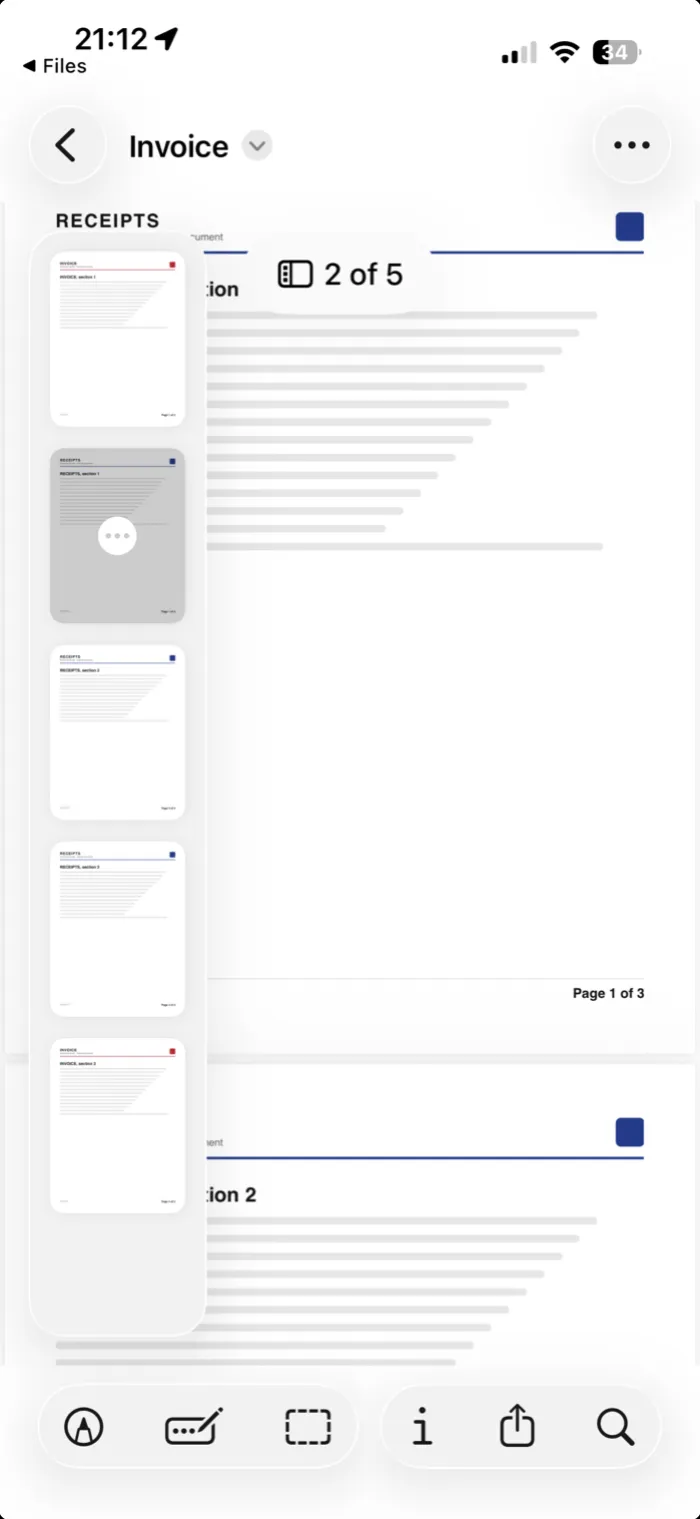 Step 4To move a page, touch and hold its thumbnail and drag it.
This changes the PDF you opened. Duplicate it in Files first if you want to keep the original.
Merge existing PDFs with PDFee
PDFee shows the files as a list you can reorder before merging, with each file’s page count. The originals stay untouched, and everything happens on your iPhone.
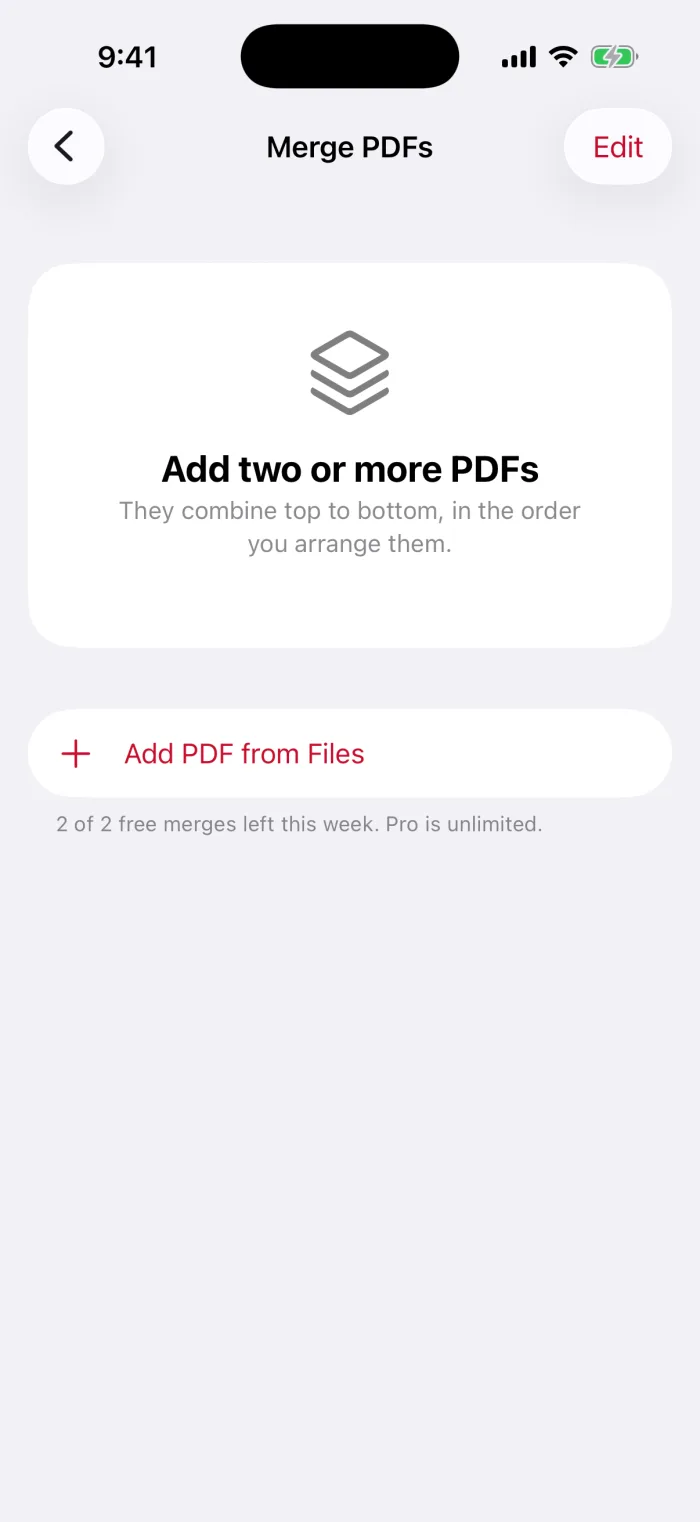
Open PDFee and tap Merge PDFs
It’s one of the four tiles on the home screen.

Tap Add PDF from Files
Select two or more PDFs. You can add more later with the same button.
Put them in order
Drag the files by their handles. Top to bottom is the final page order. Tap Edit to remove one.

Tap Merge, then share or save
The button shows the total page count. The share sheet opens with the combined PDF.
Check page order and save a separate copy
What to do with locked or unsupported files
- Password-protected PDFPDFee can’t merge it and says so. Open it with its password in Files or Preview, save an unlocked copy, then add that.
- Word or other documentsOnly PDFs can be merged. Export the document as PDF from its own app first.
- Photos instead of PDFsThat’s a different task: combine photos into a PDF.
Reduce the combined PDF before sharing
Combining files adds their sizes together. If the result is too large to email, compress it once, after merging. See how to compress a PDF on iPhone.
Questions
How can I combine multiple PDF files into one single PDF?
In the Files app, select the PDFs and choose Create PDF. Or open the first one in Preview and insert the others with Insert from File. PDFee lets you put them in order first and merges them in one step.
How do I combine PDF files on my phone?
Both the Files app and the Preview app can do it on iPhone, without a computer. The steps are above.
How do I combine 2 PDFs on an Apple device?
On iPhone, open the first PDF in Preview, show the page thumbnails, touch and hold one, and tap Insert from File to add the second PDF.
How do I merge images into one PDF on iPhone?
That’s a different task: turning photos into a PDF. See the guide on combining multiple photos into one PDF.
What to do next