How to Put Multiple Photos on One PDF Page on iPhone
Receipts, ID copies or a batch of snapshots often fit on one sheet. Here’s what iPhone can do on its own, and how to get 2, 4 or 9 photos per page in one step.
 PDFee teamUpdated September 27, 2026 · 4 min readTestediPhone 14 Pro · iOS 26.6.2 · PDFee 1.6
On this page
Quick answer
We found no built-in way to put several photos on one PDF page on iPhone. To get 2, 4 or 9 photos on a sheet, you need an app that arranges them in a grid for you, like PDFee.
- 1Photos → PDF
- 2Layout: 4 per page
- 3Create PDF
Choose one sheet instead of several PDF pages
Want one photo per page instead? See how to combine multiple photos into one PDF.
Is there a built-in way?
Not that we found. Print and Create PDF in the Files app give one photo per page, and we found no layout option to change that.
You could place the photos by hand in a document app, but you insert them one at a time and resize and line up each one yourself. For more than one or two photos, that isn’t a practical way to do it, so we don’t recommend it.
Arrange two, four or nine photos with PDFee Pro
PDFee builds the grid for you: pick the photos, pick a layout, and every sheet fills automatically. Everything happens on your iPhone.
Tap Photos → PDF and select your photos
Tap them in the order you want them on the sheet.

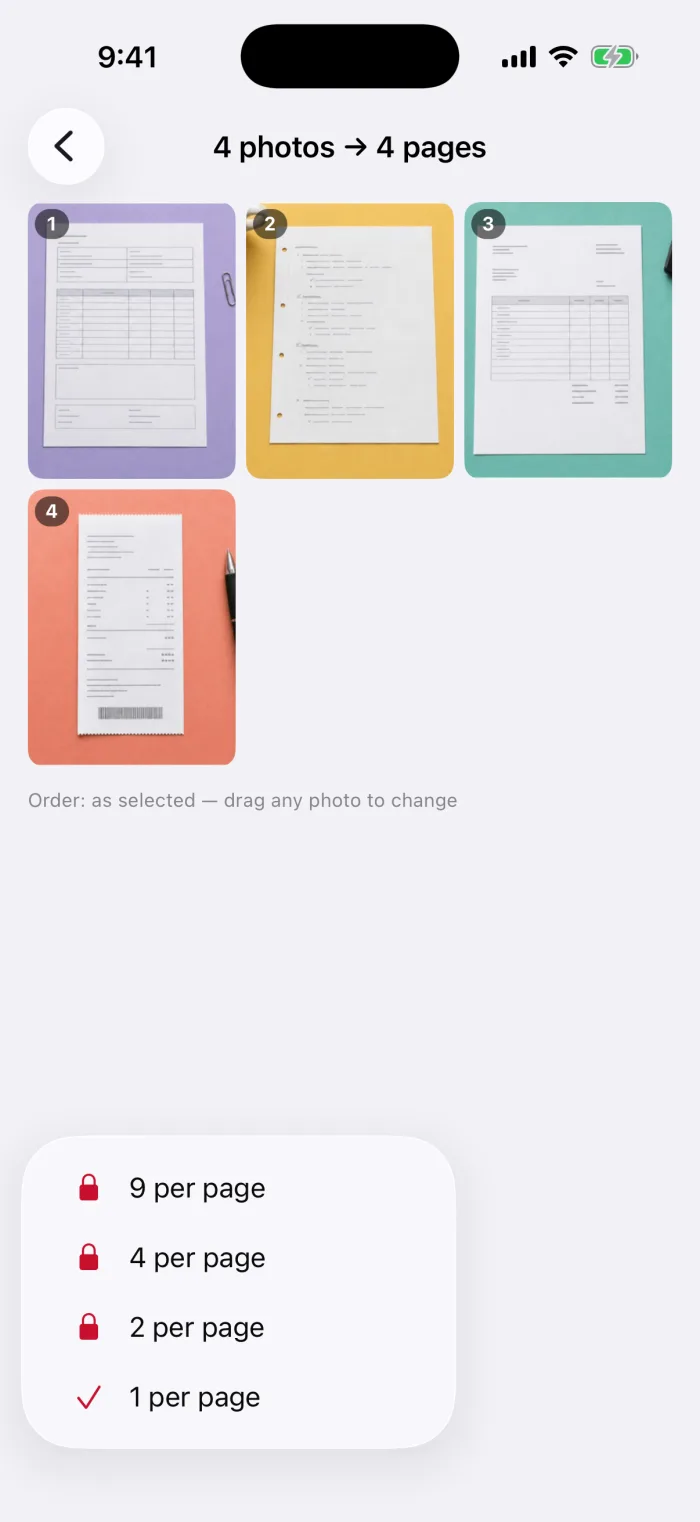
Tap the layout button
It’s the first button in the bottom bar (it shows 1-up). Choose 2, 4 or 9 per page. Without Pro, these show a padlock and open the Pro options.
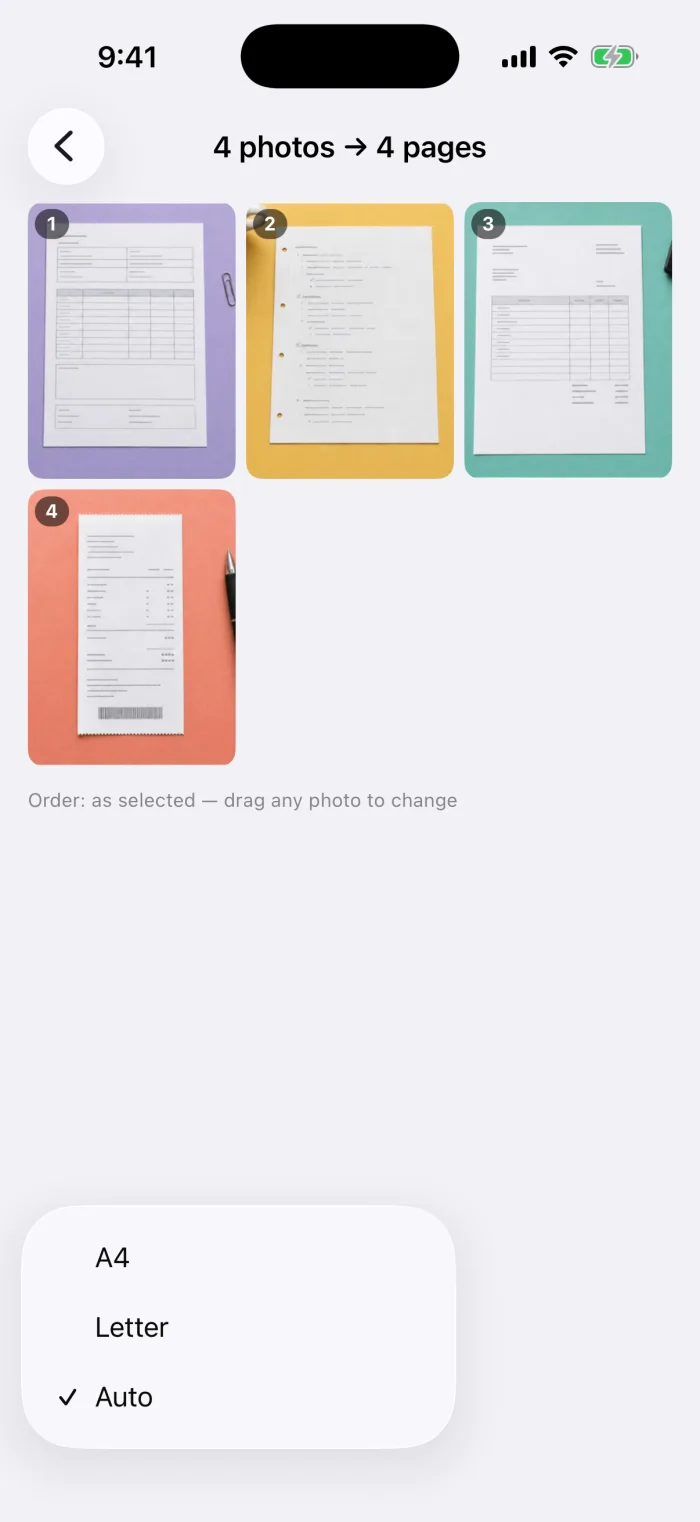
Choose Letter or A4, then Continue
Tap the size button next to it. The title shows how many sheets you’ll get.
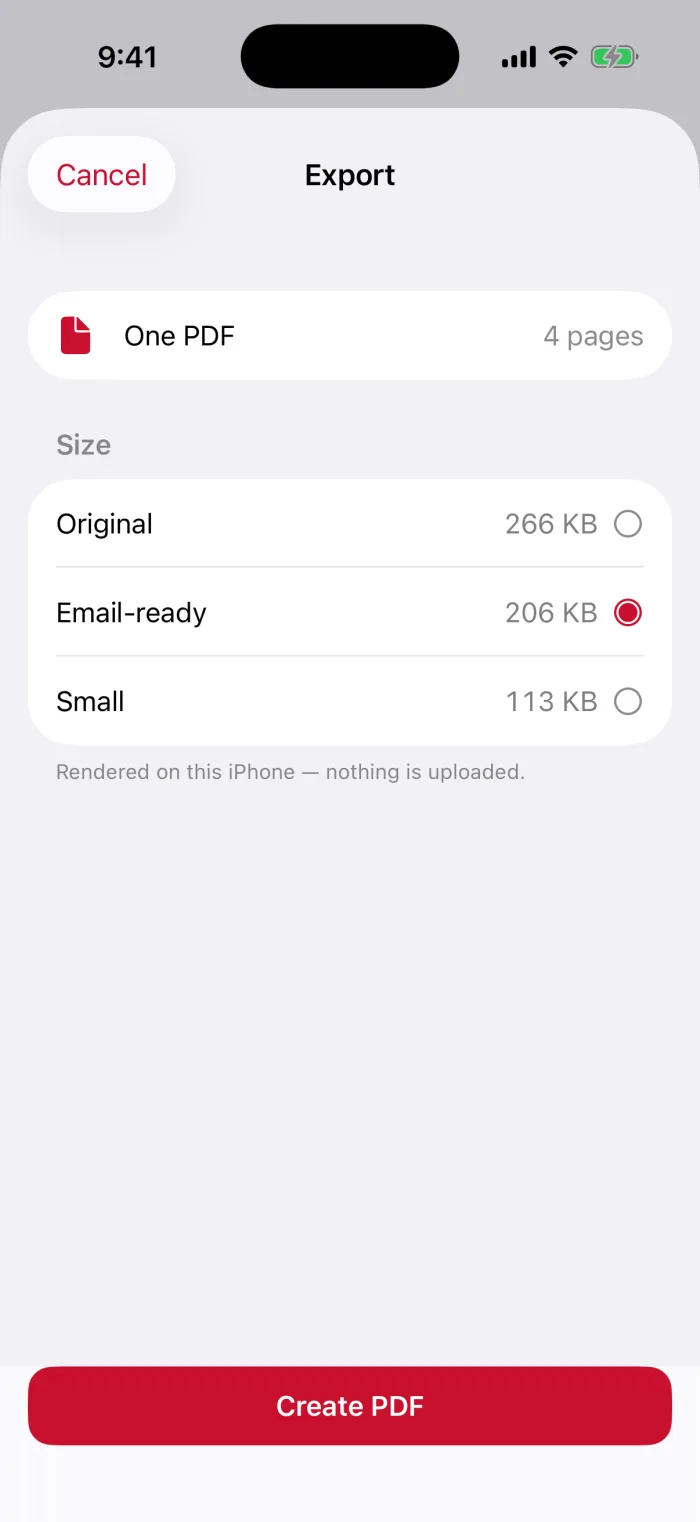
Create PDF and check it
Pick a file size and tap Create PDF. Open the print preview before printing.
Choose Letter or A4 and check cropping
Export a PDF and verify the print preview
- Zoom in on one sheetSmall text in 9-up layouts gets tiny. Use 4 per page for receipts you need to read.
- Print previewIn the share sheet, tap Print and check the preview before you print.
- Keep a copySave to Files so you can print it again later.
Questions
How do I put a bunch of pictures on one page?
Use a layout that places several photos on each sheet: two, four or nine. We found no built-in option for this on iPhone; PDFee Pro does it in one step.
How do I print multiple pictures from my phone on one page?
Make a PDF with several photos per page first, then print that PDF. Printing the photos directly usually gives one photo per sheet.
Will my photos be cropped?
Not in PDFee. Each photo is scaled to fit its slot, so a landscape photo in a tall slot gets white space above and below.
Can I choose other layouts, like 6 per page?
PDFee offers 1, 2, 4 or 9 per page. Other layouts aren’t available.
What to do next